The gentle tap of keys beneath our fingertips has become the soundtrack of modern life, yet few of us pause to consider the intricate mechanisms that translate our thoughts into digital reality. Every day, billions of people rely on keyboards to communicate, create, and navigate the digital landscape, making these devices among the most essential tools of our technological age. The relationship between human intention and digital output happens through a complex symphony of mechanical, electrical, and software processes that deserve our understanding and appreciation.
A keyboard represents far more than a collection of buttons arranged in familiar patterns. It serves as the primary bridge between human cognition and computer processing, transforming physical movements into electronic signals that computers can interpret and execute. This exploration will examine keyboards from multiple angles: their mechanical foundations, electronic principles, software integration, and evolving role in our increasingly digital society.
Through this comprehensive examination, you'll discover the sophisticated engineering behind seemingly simple keystrokes, understand how different keyboard technologies serve various needs, and gain insight into how these fundamental input devices continue to shape our interaction with technology. Whether you're curious about the mechanics beneath your laptop keys or interested in the broader implications of keyboard design on human-computer interaction, this deep dive will illuminate the remarkable complexity hidden within these ubiquitous tools.
The Mechanical Foundation of Key Input
The physical structure of keyboards represents centuries of refinement in mechanical design, tracing back to typewriter mechanisms that needed to translate finger pressure into precise character strikes. Modern keyboards inherit this legacy while adapting to electronic requirements that demand consistency, durability, and responsiveness across millions of keystrokes.
Switch Mechanisms and Their Variations
At the heart of every keyboard lies the switch mechanism, the critical component that converts physical pressure into electrical signals. These switches come in three primary categories, each offering distinct characteristics that cater to different user preferences and applications.
Mechanical switches represent the gold standard for tactile feedback and durability. These switches contain individual spring-loaded mechanisms beneath each key, providing consistent resistance and clear actuation points. The switch housing contains a metal spring that compresses when pressed, while internal contacts complete an electrical circuit at a predetermined actuation point.
Cherry MX switches, among the most recognized mechanical variants, offer different spring weights and tactile characteristics. Linear switches provide smooth keystrokes without tactile bumps, while tactile switches include a noticeable bump at the actuation point. Clicky switches add an audible click to the tactile feedback, creating the distinctive sound many associate with premium keyboards.
Membrane switches take a fundamentally different approach, using flexible layers of conductive material that make contact when pressed. The top layer contains the key caps, while beneath lies a spacer layer with holes corresponding to each key position. The bottom layer contains the electrical circuits that register key presses when the flexible membrane bridges the gap.
This design offers several advantages including lower manufacturing costs, quieter operation, and resistance to dust and liquid infiltration. However, membrane keyboards typically provide less precise tactile feedback and may have shorter lifespans compared to mechanical alternatives.
Scissor switches represent a hybrid approach commonly found in laptop keyboards where space constraints demand innovative solutions. These switches use intersecting plastic pieces that create a stable, low-profile mechanism. The scissor mechanism distributes pressure evenly across the key surface while maintaining the compact form factor essential for portable devices.
"The evolution of keyboard switches reflects our ongoing quest to perfect the interface between human intention and digital response, balancing tactile satisfaction with practical requirements."
Key Layout and Ergonomic Considerations
The arrangement of keys on keyboards follows established patterns that balance efficiency, familiarity, and ergonomic principles. The QWERTY layout, despite its historical origins in typewriter mechanics, remains dominant due to widespread adoption and muscle memory developed across generations of users.
Standard layouts typically include several distinct sections: the main alphanumeric area, function keys along the top row, navigation keys on the right side, and a numeric keypad for data entry applications. Each section serves specific purposes while maintaining consistent spacing and alignment that supports touch typing techniques.
Ergonomic variations address the physical strain associated with extended keyboard use. Split keyboards separate the key clusters to allow more natural hand positioning, while curved layouts follow the natural arc of finger movement. Some designs incorporate negative tilt or tent angles that reduce wrist extension and promote healthier typing postures.
The spacing between keys, known as key pitch, typically measures 19 millimeters center-to-center for desktop keyboards. This standardization ensures consistency across different manufacturers while accommodating the average finger span and movement patterns of adult users.
Electronic Signal Processing and Communication
The transformation of mechanical key presses into digital information requires sophisticated electronic systems that can detect, process, and transmit input data with remarkable speed and accuracy. Modern keyboards function as specialized input devices that must communicate effectively with host computers while managing power consumption and signal integrity.
Circuit Design and Signal Detection
Keyboard electronics begin with the detection circuits that monitor the state of each individual key. These circuits must distinguish between intentional key presses and environmental interference while maintaining responsiveness across the entire key matrix.
Matrix scanning represents the most common approach to key detection, organizing keys into rows and columns that create a grid pattern. The keyboard controller sequentially activates each row while monitoring the column lines for electrical continuity. When a key press creates a connection between a specific row and column, the controller can identify the exact key location within the matrix.
This scanning process occurs thousands of times per second, ensuring that even brief key presses register reliably. Advanced controllers implement n-key rollover capabilities that can detect multiple simultaneous key presses without conflicts or ghosting effects that might occur when certain key combinations create ambiguous electrical states.
Debouncing algorithms address the mechanical reality that physical switches don't create clean electrical transitions. When a key is pressed or released, the metal contacts may bounce briefly, creating multiple electrical pulses for a single physical action. Software debouncing filters these spurious signals by requiring stable electrical states for minimum time periods before registering key events.
Communication Protocols and Standards
Modern keyboards communicate with host computers through standardized protocols that ensure compatibility across different operating systems and hardware platforms. These protocols define how keyboard data is formatted, transmitted, and interpreted by receiving devices.
USB HID (Human Interface Device) protocol dominates contemporary keyboard communication, providing a standardized framework for input device interaction. This protocol defines specific message formats for key press events, including key codes, modifier states, and timing information. USB HID supports both basic keyboard functions and extended features like multimedia keys and programmable macros.
The protocol operates through interrupt transfers that prioritize keyboard input for minimal latency. When a key state changes, the keyboard controller formats the event data according to HID specifications and transmits it to the host computer through the USB connection.
Wireless communication adds complexity to keyboard protocols, requiring additional layers for radio frequency management, power optimization, and security. Bluetooth keyboards implement pairing procedures and encryption protocols to ensure secure communication while managing battery life through intelligent power management strategies.
| Communication Method | Latency | Power Consumption | Range | Security |
|---|---|---|---|---|
| USB Wired | <1ms | Host Powered | 5m cable | Physical Security |
| Bluetooth | 5-15ms | Battery Dependent | 10m typical | Encrypted |
| 2.4GHz Proprietary | 1-5ms | Battery Dependent | 10-30m | Variable |
| PS/2 Legacy | <1ms | Host Powered | 2m cable | Physical Security |
Software Integration and Operating System Interaction
The journey from physical key press to application response involves multiple software layers that interpret, process, and route keyboard input according to system configurations and application requirements. This software stack transforms raw key codes into meaningful actions within the computing environment.
Device Drivers and Hardware Abstraction
Device drivers serve as the crucial translation layer between keyboard hardware and operating system software. These specialized programs understand the specific communication protocols and capabilities of different keyboard models while presenting a standardized interface to higher-level software components.
Modern operating systems include generic HID drivers that support standard keyboard functions without requiring manufacturer-specific software. These drivers handle basic key mapping, repeat rates, and modifier key combinations while providing extension points for advanced features like programmable keys or specialized layouts.
Hardware abstraction layers ensure that applications can receive keyboard input without needing to understand the underlying hardware details. This abstraction allows software to work consistently across different keyboard types and connection methods while the operating system manages the complexity of device communication and resource allocation.
The driver stack also implements input buffering to handle situations where key presses arrive faster than applications can process them. This buffering prevents lost keystrokes during system load spikes while maintaining the proper sequence of input events.
Key Mapping and Localization
Character mapping represents one of the most complex aspects of keyboard software integration, as the same physical keys must produce different characters depending on language settings, keyboard layouts, and application contexts. Operating systems maintain sophisticated mapping tables that translate key codes into appropriate character outputs.
These mapping systems account for modifier key combinations that dramatically expand the character set available from a limited number of physical keys. Shift, Alt, and Ctrl modifiers can transform basic letter keys into symbols, accented characters, or special functions depending on the active keyboard layout and language settings.
Dead key processing enables the creation of accented characters through sequential key presses. When a dead key is pressed, the system enters a special state where the next key press combines with the dead key to produce a composite character. This mechanism allows efficient input of diacritical marks and special characters without requiring dedicated keys for every possible combination.
"The invisible software layers that process keyboard input represent decades of refinement in human-computer interface design, seamlessly bridging the gap between physical action and digital meaning."
Input Method Editors and Complex Scripts
For languages that require more characters than can be practically represented on a physical keyboard, Input Method Editors (IMEs) provide sophisticated text entry systems. These software components interpret sequences of key presses to generate complex characters or ideographs.
Phonetic input methods allow users to type romanized versions of words that are then converted to appropriate scripts. Chinese input methods, for example, can interpret pinyin phonetic input and present lists of possible characters or words for selection. The IME maintains context awareness to suggest the most likely characters based on surrounding text.
Predictive text systems enhance input efficiency by analyzing typing patterns and suggesting completions or corrections. These systems learn from user behavior while maintaining privacy through local processing and encrypted data storage.
Specialized Keyboard Technologies and Applications
Different computing environments and user requirements have driven the development of specialized keyboard technologies that extend far beyond traditional typing applications. These specialized systems demonstrate the adaptability of keyboard concepts to diverse technical and ergonomic challenges.
Gaming and High-Performance Applications
Gaming keyboards prioritize responsiveness, durability, and customization to meet the demands of competitive gaming environments. These devices often feature mechanical switches with shorter actuation distances and lighter spring weights to enable rapid key presses with minimal fatigue.
Anti-ghosting technology ensures that complex key combinations register accurately during intense gaming sessions. Advanced gaming keyboards implement full n-key rollover capabilities that can detect every key press simultaneously without conflicts or missed inputs that could affect game performance.
Programmable macro systems allow gamers to assign complex command sequences to single key presses. These macros can include timing delays, conditional logic, and integration with game-specific functions. The programming interfaces often include visual editors that simplify macro creation while providing powerful scripting capabilities for advanced users.
RGB lighting systems in gaming keyboards serve both aesthetic and functional purposes. Beyond visual appeal, programmable lighting can provide feedback about game states, highlight active keys for specific applications, or create visual patterns that enhance the gaming experience.
Industrial and Specialized Environment Keyboards
Ruggedized keyboards address the unique challenges of industrial environments where standard keyboards would fail quickly. These devices feature sealed enclosures that protect against dust, moisture, chemicals, and temperature extremes while maintaining full functionality.
Silicone membrane keyboards can be completely waterproof and resistant to chemical contamination, making them suitable for medical, food service, and chemical processing applications. The smooth surfaces facilitate cleaning and disinfection procedures required in sterile environments.
Explosion-proof keyboards meet stringent safety requirements for use in hazardous environments where electrical sparks could ignite flammable gases or dust. These specialized devices incorporate intrinsic safety designs that limit electrical energy and prevent spark generation under fault conditions.
Accessibility and Adaptive Technologies
Alternative keyboard designs address the needs of users with physical disabilities or limitations that prevent effective use of standard keyboards. These adaptive technologies demonstrate the importance of inclusive design in computer interface development.
One-handed keyboards rearrange key layouts to enable efficient typing with a single hand. Some designs use chorded input methods where multiple keys are pressed simultaneously to generate different characters, similar to stenographic techniques.
Eye-tracking keyboards eliminate the need for physical key presses entirely, using gaze detection to select characters from on-screen keyboards. These systems require sophisticated calibration and filtering algorithms to distinguish intentional selections from casual glances.
Voice-activated keyboards provide alternative input methods for users who cannot use traditional physical keyboards. Advanced speech recognition systems can achieve high accuracy rates while adapting to individual speech patterns and vocabulary preferences.
"Specialized keyboard technologies reveal the fundamental principle that effective human-computer interaction requires adaptation to human diversity rather than forcing humans to adapt to rigid technological constraints."
Wireless Technology and Power Management
The evolution toward wireless keyboards has introduced new technical challenges and opportunities that extend beyond simple cable elimination. Modern wireless keyboards must balance performance, power efficiency, and reliability while maintaining the responsiveness users expect from wired alternatives.
Radio Frequency Technologies and Protocols
Bluetooth Low Energy (BLE) has become the dominant wireless technology for keyboard applications due to its excellent balance of power efficiency and performance. BLE keyboards can operate for months on a single battery charge while maintaining reliable connections with host devices.
The protocol implements sophisticated frequency hopping techniques that minimize interference from other wireless devices. Bluetooth keyboards rapidly switch between different radio frequencies according to predetermined patterns, ensuring reliable communication even in crowded wireless environments.
2.4GHz proprietary protocols offer alternatives to Bluetooth with potentially lower latency and specialized features. These systems typically use dedicated USB receivers that implement custom communication protocols optimized for specific keyboard functions and performance requirements.
The choice between Bluetooth and proprietary wireless depends on factors including battery life requirements, latency sensitivity, and compatibility needs. Gaming applications often prefer proprietary solutions for minimal input lag, while general productivity applications benefit from Bluetooth's universal compatibility.
Battery Technology and Power Optimization
Power management systems in wireless keyboards employ multiple strategies to maximize battery life while maintaining performance. These systems monitor usage patterns and automatically adjust power consumption based on activity levels and connection requirements.
Sleep mode algorithms detect periods of inactivity and progressively reduce power consumption by disabling non-essential circuits. Advanced keyboards can wake from deep sleep states in milliseconds when key presses are detected, providing seamless user experience despite aggressive power saving measures.
Battery technology choices significantly impact keyboard design and user experience. Lithium coin cells provide long life in compact form factors but cannot be recharged. Rechargeable lithium-ion batteries offer convenience through USB charging but require more complex charging circuits and battery management systems.
| Battery Type | Capacity | Lifespan | Rechargeability | Cost | Environmental Impact |
|---|---|---|---|---|---|
| AA Alkaline | 2500mAh | 6-12 months | No | Low | Moderate disposal impact |
| Lithium Coin | 240mAh | 12-24 months | No | Medium | Specialized disposal required |
| Li-ion Rechargeable | 500-1000mAh | 2-3 years | Yes | High | Lower long-term impact |
| Solar Assisted | Variable | Extended | Self-sustaining | High | Minimal impact |
Connection Management and Reliability
Pairing procedures establish secure connections between wireless keyboards and host devices while preventing unauthorized access. Modern Bluetooth keyboards implement simplified pairing processes that require minimal user intervention while maintaining security through encryption and authentication protocols.
Multi-device connectivity allows advanced wireless keyboards to maintain connections with multiple host devices simultaneously. Users can switch between connected devices through dedicated keys or software controls, enabling seamless workflow transitions between different computers or mobile devices.
Connection reliability requires sophisticated error detection and recovery mechanisms. Wireless keyboards implement automatic reconnection procedures that restore communication after temporary interruptions while maintaining input buffer integrity to prevent lost keystrokes.
Manufacturing Processes and Quality Control
The production of modern keyboards involves complex manufacturing processes that must achieve precise tolerances while maintaining cost-effectiveness across large production volumes. Understanding these processes reveals the engineering challenges involved in creating reliable, consistent input devices.
Component Manufacturing and Assembly
Injection molding forms the foundation of keyboard manufacturing, creating the plastic components that comprise key caps, switch housings, and structural elements. This process requires precise temperature and pressure control to ensure consistent part dimensions and material properties across production runs.
Key cap manufacturing involves specialized molding techniques that create the character legends through various methods. Double-shot molding creates two-layer key caps where the character areas use different colored plastic, ensuring legends never wear away through use. Laser etching provides alternative legend creation through precise material removal that can be filled with contrasting materials.
Switch assembly represents a critical manufacturing step that directly impacts keyboard performance and longevity. Mechanical switches require precise assembly of springs, contacts, and housing components with tolerances measured in fractions of millimeters. Automated assembly systems use vision guidance and force feedback to ensure consistent switch characteristics.
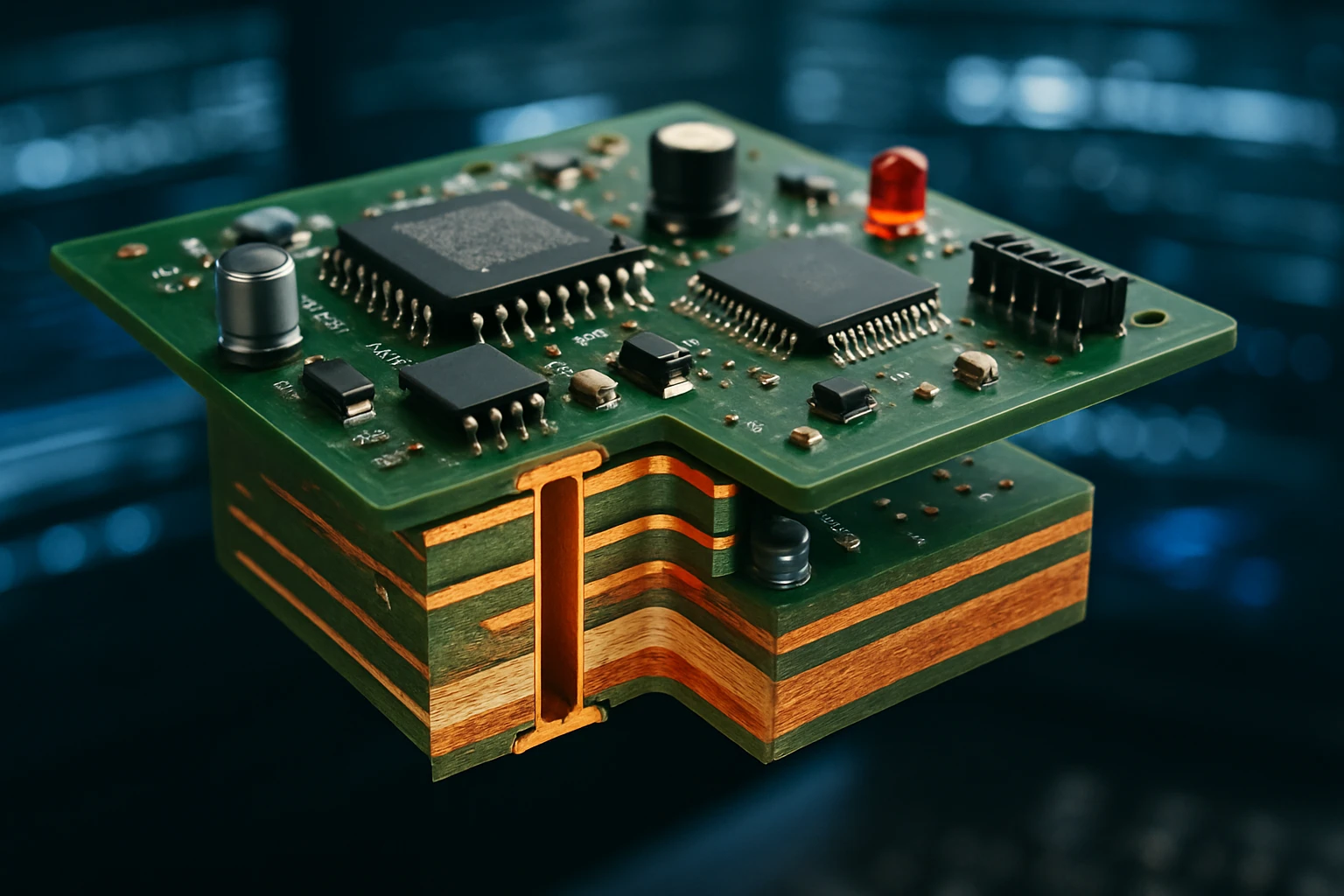
The printed circuit board (PCB) assembly process involves surface-mount technology that places electronic components with extreme precision. Pick-and-place machines position components according to computer-controlled coordinates while reflow soldering creates reliable electrical connections throughout the keyboard matrix.
Quality Assurance and Testing Procedures
Electrical testing verifies that every key position functions correctly and that the keyboard controller properly detects and reports key press events. Automated test systems can rapidly cycle through all possible key combinations while monitoring electrical responses and communication protocols.
Mechanical durability testing subjects keyboards to millions of simulated key presses to verify long-term reliability. These tests use pneumatic actuators that replicate human finger forces while monitoring for mechanical wear, electrical degradation, or performance changes over extended use cycles.
Environmental testing ensures keyboards function reliably across expected operating conditions. Temperature cycling, humidity exposure, and vibration testing verify that keyboards maintain performance specifications despite environmental stresses encountered in real-world applications.
"Quality control in keyboard manufacturing requires balancing human factors engineering with industrial production efficiency, ensuring that mass-produced devices meet the exacting standards users have come to expect."
Supply Chain and Materials Management
Material selection for keyboard components involves complex trade-offs between performance, durability, cost, and environmental impact. Key cap materials must resist wear while providing appropriate tactile properties, while switch components require materials that maintain electrical and mechanical properties through millions of operating cycles.
Supply chain optimization coordinates the delivery of hundreds of different components from multiple suppliers to support continuous production. Modern keyboard manufacturing relies on just-in-time delivery systems that minimize inventory costs while ensuring component availability for production schedules.
Sustainability considerations increasingly influence keyboard manufacturing processes. Manufacturers are exploring recyclable materials, reducing packaging waste, and implementing take-back programs that recover valuable materials from end-of-life keyboards.
Future Developments and Emerging Technologies
The keyboard industry continues to evolve through technological advancement and changing user expectations. Emerging technologies promise to transform how we interact with keyboards while addressing limitations of current designs.
Advanced Materials and Manufacturing Techniques
Flexible electronics enable the development of keyboards that can be rolled, folded, or conformed to curved surfaces. These systems use conductive polymers and flexible substrates that maintain electrical functionality despite mechanical deformation, opening possibilities for portable keyboards that pack into minimal space.
3D printing technology is revolutionizing custom keyboard manufacturing, allowing users to create personalized key caps, cases, and even complete keyboard assemblies. Advanced 3D printing materials now include conductive filaments that can create functional electrical circuits within printed structures.
Nano-materials offer enhanced durability and functionality for keyboard components. Graphene-enhanced plastics provide superior wear resistance for key caps, while carbon nanotube additives can create conductive pathways that eliminate the need for separate electrical circuits.
Intelligent and Adaptive Systems
Machine learning integration enables keyboards to adapt to individual user patterns and preferences. These systems can optimize key sensitivity, predict intended inputs, and provide personalized feedback based on typing style and usage patterns.
Haptic feedback systems provide programmable tactile responses that can simulate different switch types or provide contextual feedback based on application requirements. Advanced haptic actuators can create the sensation of mechanical switches in completely solid-state keyboards.
Biometric integration incorporates fingerprint sensors, palm recognition, or typing pattern analysis for security and personalization. These systems can automatically adjust keyboard settings based on user identification while providing secure authentication for sensitive applications.
Virtual and Augmented Reality Integration
Spatial keyboards designed for virtual reality environments eliminate the need for physical key surfaces while providing tactile feedback through haptic gloves or controllers. These systems can display customizable layouts in virtual space while maintaining the muscle memory advantages of traditional keyboard layouts.
Augmented reality overlays can transform any surface into a functional keyboard through computer vision and projection systems. These technologies detect finger movements on arbitrary surfaces while providing visual feedback through AR displays or projected images.
Brain-computer interfaces represent the ultimate evolution of keyboard technology, translating neural signals directly into text input without requiring physical movement. While still in early development stages, these systems promise to revolutionize accessibility and enable unprecedented input speeds for users who master the technology.
"The future of keyboard technology lies not in replacing human capabilities but in amplifying them, creating interfaces that understand and adapt to human needs rather than forcing humans to adapt to technological limitations."
"As we advance toward more intuitive input methods, the fundamental principles of keyboard design—reliability, responsiveness, and user comfort—remain as relevant as ever, serving as guideposts for innovation."
What makes mechanical keyboards different from membrane keyboards?
Mechanical keyboards use individual spring-loaded switches beneath each key, providing tactile feedback and longer lifespan. Membrane keyboards use flexible layers that make contact when pressed, offering quieter operation and lower cost but less precise tactile response.
How do wireless keyboards maintain connection reliability?
Wireless keyboards use frequency hopping, automatic reconnection protocols, and input buffering to maintain reliable connections. They implement error detection and recovery mechanisms while managing power consumption through intelligent sleep modes.
What is n-key rollover and why is it important?
N-key rollover allows keyboards to detect multiple simultaneous key presses without conflicts. This prevents ghosting effects where certain key combinations might not register correctly, which is particularly important for gaming and fast typing applications.
How do keyboards handle different languages and character sets?
Keyboards use software mapping tables and Input Method Editors (IMEs) to convert key presses into appropriate characters for different languages. Dead key processing and phonetic input methods enable efficient entry of accented characters and complex scripts.
What factors affect keyboard battery life in wireless models?
Battery life depends on connection type (Bluetooth vs. proprietary), usage patterns, backlighting, and power management algorithms. Keyboards implement sleep modes and activity-based power scaling to maximize battery life while maintaining responsiveness.
How do gaming keyboards achieve lower input latency?
Gaming keyboards use faster polling rates, optimized firmware, and sometimes proprietary wireless protocols with dedicated receivers. Mechanical switches with shorter actuation distances and specialized anti-ghosting circuits also contribute to reduced latency.
What makes a keyboard suitable for industrial environments?
Industrial keyboards feature sealed enclosures, chemical-resistant materials, and ruggedized construction. They may include features like waterproofing, explosion-proof designs, and materials that withstand extreme temperatures or contamination.
How do ergonomic keyboards reduce typing strain?
Ergonomic keyboards use split layouts, curved key arrangements, and adjustable angles to promote natural hand positioning. Some incorporate negative tilt or tent angles that reduce wrist extension and support healthier typing postures.