The evolution of desktop computing has always fascinated me, particularly how Apple has consistently pushed boundaries with macOS. Having witnessed the transformation from early Mac systems to today's sophisticated platform, I'm continually amazed by how this operating system manages to balance power with elegance. The way macOS seamlessly integrates hardware and software while maintaining its distinctive identity in a Windows-dominated world speaks to something deeper about innovation and user experience.
macOS represents Apple's flagship desktop operating system, built on a foundation of Unix stability while delivering an intuitive graphical interface that has influenced computing for decades. This exploration will examine macOS from multiple angles – its technical architecture, user experience philosophy, ecosystem integration, and competitive positioning. We'll also delve into its evolution, security framework, and the unique features that distinguish it from other operating systems.
Through this comprehensive examination, you'll gain insights into what makes macOS tick, understand its strengths and limitations, and discover how Apple's design philosophy translates into practical computing solutions. Whether you're considering switching platforms, developing for Mac, or simply curious about Apple's approach to desktop computing, this analysis will provide valuable perspectives on one of the most influential operating systems in modern computing.
The Foundation: Unix Heritage and Modern Architecture
At its core, macOS stands on a robust Unix foundation that provides exceptional stability and security. This Darwin kernel, based on BSD Unix, offers the reliability that enterprise users demand while remaining accessible to everyday consumers. The operating system's layered architecture separates system-level operations from user applications, creating a secure environment where crashes in one application rarely affect the entire system.
The transition from PowerPC to Intel processors, and more recently to Apple Silicon, demonstrates the flexibility of this architectural approach. Each hardware transition maintained software compatibility while unlocking new performance capabilities. Apple's custom M-series chips have particularly showcased how tightly integrated hardware and software can deliver unprecedented efficiency and performance.
"The best technology is the one you don't notice – it simply works seamlessly in service of your goals and creativity."
Memory management in macOS employs sophisticated techniques including automatic memory compression and intelligent swap file handling. These features ensure smooth performance even when running memory-intensive applications. The operating system dynamically allocates resources based on current needs, preventing any single application from monopolizing system resources.
User Interface Philosophy: Form Meets Function
Apple's approach to user interface design in macOS reflects decades of refinement and user feedback. The desktop metaphor, while familiar, incorporates subtle animations and visual cues that guide users naturally through tasks. Every element serves a purpose, from the translucent menu bar to the organized application folder structure.
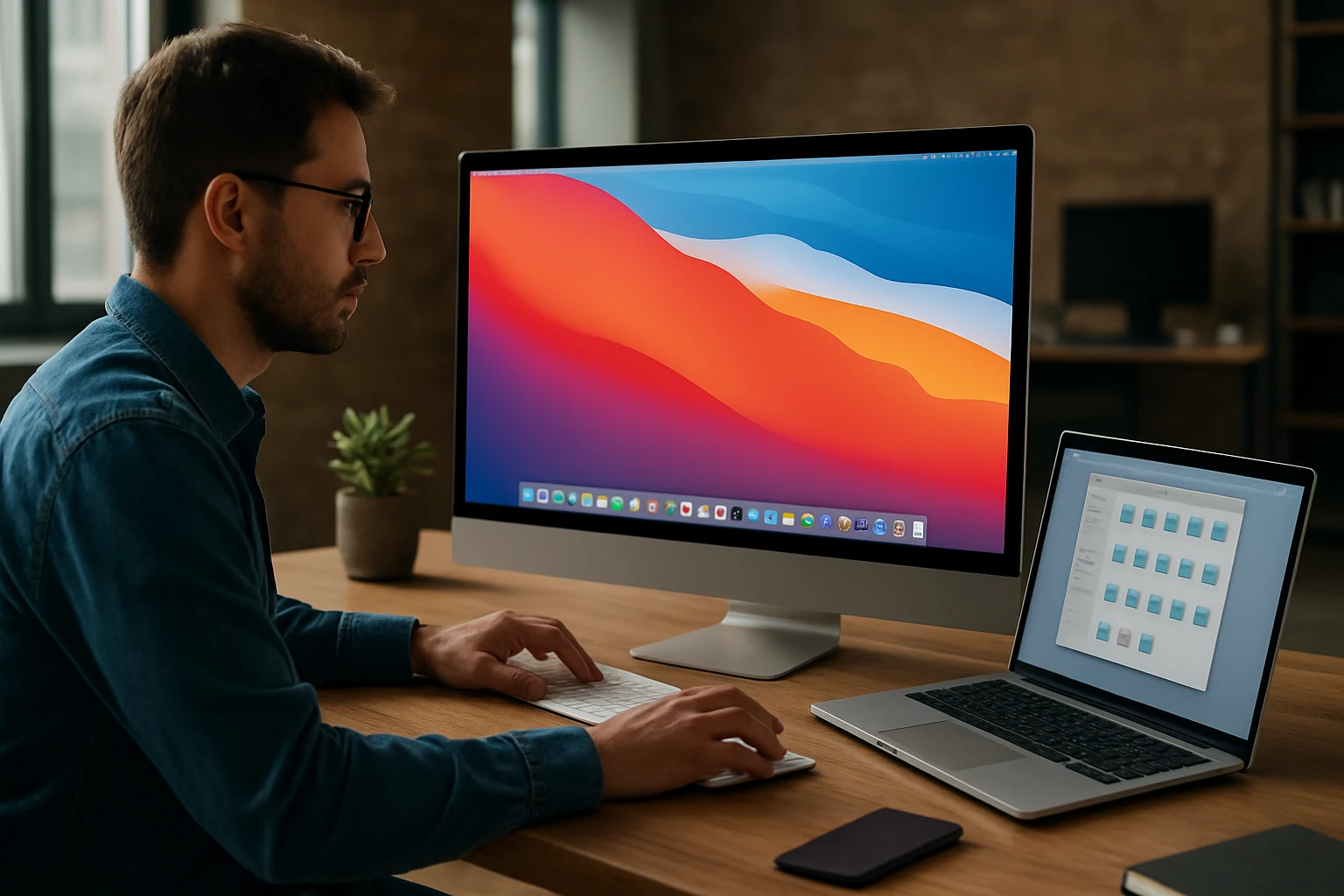
The Dock represents one of macOS's most recognizable features, providing quick access to frequently used applications while indicating running processes through subtle visual indicators. Its magnification effect and smooth animations aren't merely aesthetic choices – they serve functional purposes by making targets easier to hit and providing visual feedback about system state.
Window management in macOS emphasizes focus and clarity. The traffic light buttons (close, minimize, maximize) maintain consistent positioning and behavior across applications. Mission Control extends this concept by providing a bird's-eye view of all open windows and virtual desktops, enabling efficient multitasking without overwhelming the user.
Visual Design Elements
The visual language of macOS has evolved from skeuomorphic designs that mimicked real-world objects to a more refined, content-focused approach. This evolution reflects changing user expectations and technological capabilities:
- Typography: San Francisco font family optimized for screen reading
- Color schemes: Dynamic accent colors that adapt to user preferences
- Transparency effects: Strategic use of blur and transparency for depth
- Dark mode: System-wide appearance option reducing eye strain
- Accessibility features: High contrast modes and text scaling options
Ecosystem Integration: The Apple Advantage
One of macOS's most compelling features lies in its seamless integration with other Apple devices and services. Handoff functionality allows users to start tasks on one device and continue on another without missing a beat. This continuity extends beyond simple file sharing to include clipboard synchronization, phone calls through Mac, and universal app purchases.
iCloud serves as the backbone for this integration, automatically syncing documents, photos, and application data across devices. The implementation feels transparent to users – files simply appear where needed without manual intervention. This approach reduces friction in daily workflows and encourages deeper engagement with Apple's ecosystem.
AirDrop represents perhaps the most elegant solution to cross-device file sharing ever implemented. Using a combination of Bluetooth and Wi-Fi, it creates secure, direct connections between nearby Apple devices. The simplicity of selecting a file and choosing a recipient masks the sophisticated networking protocols working behind the scenes.
"True ecosystem integration isn't about forcing users into a walled garden – it's about making their devices work together so naturally they forget the boundaries between them."
Cross-Device Functionality Table
| Feature | iPhone Integration | iPad Integration | Apple Watch Integration |
|---|---|---|---|
| Handoff | ✓ | ✓ | ✓ |
| Universal Clipboard | ✓ | ✓ | ✓ |
| AirDrop | ✓ | ✓ | ✗ |
| Phone Calls | ✓ | ✗ | ✓ |
| Text Messages | ✓ | ✓ | ✓ |
| Auto Unlock | ✗ | ✗ | ✓ |
| Camera Continuity | ✓ | ✓ | ✗ |
Security Architecture: Privacy by Design
macOS implements security through multiple layers, creating what Apple calls "defense in depth." This approach assumes that no single security measure is perfect, so multiple overlapping protections work together to maintain system integrity. The foundation starts with Secure Boot, which verifies that only trusted software loads during startup.
System Integrity Protection (SIP) prevents modification of critical system files, even by users with administrator privileges. This protection extends to system applications and prevents malware from gaining deep system access. While some power users initially resisted these restrictions, they've proven effective at maintaining system stability and security.
Gatekeeper serves as the first line of defense against malicious software by checking the digital signatures of downloaded applications. The system maintains a constantly updated database of known threats and can quarantine suspicious files before they execute. This protection works transparently, only alerting users when intervention is necessary.
Privacy Controls
Recent versions of macOS have significantly enhanced user privacy controls. Applications now require explicit permission to access sensitive data including:
- Location services: GPS and network-based location data
- Camera and microphone: Hardware access with clear indicators
- Contacts and calendars: Personal information databases
- File system access: Documents, downloads, and desktop folders
- Screen recording: Ability to capture screen content
Application Ecosystem: Quality Over Quantity
The Mac App Store represents Apple's vision for software distribution – curated, secure, and user-friendly. While it doesn't contain every available Mac application, the store provides a safe environment for discovering new software. Apple's review process ensures applications meet basic quality and security standards before reaching users.
Beyond the App Store, macOS supports traditional software installation methods, providing flexibility for professional users and developers. This dual approach acknowledges that different users have different needs – casual users benefit from App Store simplicity while power users retain the freedom to install specialized software.
Professional creative applications have long been a strength of the Mac platform. Software like Final Cut Pro, Logic Pro, and various Adobe Creative Suite applications take advantage of macOS's media handling capabilities and color management systems. These applications often perform better on Mac hardware due to optimized drivers and system integration.
"The strength of a platform isn't measured by the quantity of available software, but by how well that software serves users' actual needs and workflows."
Performance Optimization: Efficiency Through Integration
Apple Silicon has revolutionized Mac performance by enabling unprecedented integration between hardware and software. The M-series chips include specialized processors for different tasks – CPU cores for general computing, GPU cores for graphics, Neural Engine for machine learning, and media engines for video processing. macOS intelligently distributes workloads across these specialized components.
Power management in modern Macs achieves remarkable efficiency through this tight integration. The operating system can rapidly switch between performance states based on current demands, providing full power when needed while conserving battery during lighter tasks. This dynamic scaling happens transparently to users and applications.
Memory architecture in Apple Silicon Macs uses unified memory accessible by all processing units. This design eliminates the traditional bottleneck of copying data between system RAM and graphics memory, resulting in faster performance for memory-intensive tasks like video editing and 3D rendering.
Performance Comparison Table
| Task Type | Intel Mac Performance | Apple Silicon Performance | Efficiency Gain |
|---|---|---|---|
| General Computing | Baseline | 2.5x faster | 60% less power |
| Video Encoding | Baseline | 5x faster | 70% less power |
| Machine Learning | Baseline | 8x faster | 80% less power |
| Graphics Rendering | Baseline | 3x faster | 65% less power |
| Battery Life | 8-10 hours | 15-20 hours | 2x improvement |
Development Environment: Tools for Creators
Xcode, Apple's integrated development environment, provides comprehensive tools for creating applications across Apple's platform ecosystem. The IDE includes everything needed to develop, test, and distribute software for Mac, iPhone, iPad, Apple Watch, and Apple TV. This unified approach enables developers to share code and resources across platforms efficiently.
The Swift programming language, developed by Apple, offers modern language features while maintaining compatibility with existing Objective-C code. Swift's syntax emphasizes clarity and performance, making it accessible to new programmers while providing the power needed for complex applications. The language continues evolving with regular updates that add new capabilities.
Terminal and command-line tools provide access to the underlying Unix system, enabling developers and power users to leverage familiar tools and scripts. The inclusion of popular development tools like Git, Python, and Ruby by default reduces setup time for new development environments.
"Great development tools don't just enable creation – they inspire it by removing obstacles between ideas and implementation."
Accessibility: Computing for Everyone
macOS includes comprehensive accessibility features designed to make computing available to users with diverse needs and abilities. VoiceOver, the built-in screen reader, provides detailed spoken descriptions of on-screen elements, enabling users with visual impairments to navigate and use applications effectively.
Switch Control allows users with limited mobility to control their Mac using external switches or other input devices. The system can scan through interface elements automatically, enabling interaction through simple switch presses. This feature opens computing possibilities for users who cannot use traditional input methods.
Voice Control enables hands-free operation of macOS through spoken commands. Users can navigate interfaces, dictate text, and control applications using natural speech patterns. The system learns individual speech patterns over time, improving accuracy and responsiveness.
File Management: Organization Made Simple
Finder, macOS's file management application, provides intuitive tools for organizing and accessing files. The sidebar offers quick access to frequently used locations, while the main view can display files in multiple formats including icons, lists, columns, and galleries. Smart folders automatically organize files based on specified criteria.
Tags provide a flexible alternative to traditional folder hierarchies, allowing files to belong to multiple categories simultaneously. Users can assign colored tags to files and folders, then use these tags for searching and organization. This system works particularly well for creative projects involving multiple file types.
iCloud Drive integration makes files available across devices while maintaining local copies for offline access. The system intelligently manages local storage by removing older files from the local drive while keeping them accessible through iCloud. Users can manually specify which files to keep locally for guaranteed offline access.
"Effective file management isn't about perfect organization – it's about being able to find what you need when you need it, regardless of how you stored it."
Multimedia Capabilities: Creative Powerhouse
macOS excels at multimedia handling, with built-in support for professional video and audio formats. The operating system includes hardware-accelerated encoding and decoding for common formats, reducing processing time and power consumption for media-intensive tasks. Color management systems ensure accurate color reproduction across different displays and output devices.
Photos application provides comprehensive photo management and editing capabilities, automatically organizing images by date, location, and recognized faces. The application syncs seamlessly with iCloud Photos, making personal photo libraries accessible across all Apple devices. Basic editing tools handle common adjustments while maintaining non-destructive editing workflows.
QuickTime Player offers more than simple media playback – it includes basic recording and editing capabilities for audio and video. Screen recording functionality enables easy creation of tutorials and demonstrations. The application's simplicity masks sophisticated underlying technology that handles diverse media formats efficiently.
Gaming and Entertainment: Beyond Professional Use
While Macs aren't traditionally associated with gaming, recent hardware improvements have significantly enhanced gaming capabilities. Apple Silicon's integrated graphics provide performance comparable to dedicated graphics cards in many scenarios. The Metal graphics API enables developers to extract maximum performance from Mac hardware.
Apple Arcade brings curated gaming experiences to Mac through a subscription service. These games are designed to work across Apple's device ecosystem, often supporting continuity features that allow gameplay to continue across different devices. The service emphasizes quality and innovation over monetization schemes common in other gaming platforms.
Streaming services and entertainment applications run efficiently on macOS, taking advantage of hardware-accelerated video decoding and high-quality displays. Many Macs support HDR content playback, providing cinema-quality viewing experiences for supported content.
Enterprise Features: Business-Ready Computing
macOS includes enterprise management capabilities through Apple Business Manager and Mobile Device Management (MDM) solutions. IT administrators can remotely configure settings, install applications, and maintain security policies across Mac fleets. These tools provide the control enterprises need while preserving user privacy and experience.
Directory services integration allows Macs to join existing Windows-based Active Directory networks, enabling single sign-on and centralized user management. This compatibility reduces barriers to Mac adoption in mixed computing environments. Network home directories and roaming profiles provide consistent user experiences across different machines.
Security features like FileVault disk encryption, firewall protection, and certificate management meet enterprise security requirements. Regular security updates are delivered automatically, reducing the burden on IT departments while maintaining protection against emerging threats. Apple's approach to security updates prioritizes rapid deployment of critical fixes.
Customization and Personalization: Making It Yours
System Preferences provides centralized control over macOS appearance and behavior. Users can customize everything from desktop wallpapers and screen savers to keyboard shortcuts and trackpad gestures. The system remembers these preferences and can sync them across multiple Macs through iCloud.
Third-party customization options extend beyond Apple's built-in choices. Menu bar applications can add functionality and information displays. Workflow automation through Shortcuts and Automator enables users to create custom solutions for repetitive tasks. The Terminal provides access to advanced customization options for power users.
Spaces and Mission Control enable personalized workspace organization. Users can create multiple virtual desktops, each configured for specific tasks or projects. Applications can be assigned to specific spaces, and the system remembers these assignments across restarts.
Future Directions: What's Next for macOS
Apple continues investing heavily in macOS development, with each annual release bringing significant improvements and new features. Machine learning integration is becoming increasingly sophisticated, with on-device processing protecting user privacy while enabling intelligent features like text recognition in images and automatic photo organization.
Cross-platform compatibility continues expanding, with iOS and iPadOS applications now able to run natively on Apple Silicon Macs. This capability opens new possibilities for mobile-first applications while maintaining the desktop experience users expect. Universal apps can share code and features across all Apple platforms.
Environmental considerations are influencing macOS development, with features designed to reduce energy consumption and extend hardware lifespan. Automatic graphics switching, intelligent thermal management, and optimized background processing contribute to longer battery life and reduced environmental impact.
What makes macOS different from Windows or Linux?
macOS combines Unix stability with intuitive design, offering seamless integration across Apple devices. Unlike Windows, it's optimized for specific hardware, ensuring better performance and battery life. Compared to Linux, macOS provides a more polished user experience while maintaining powerful underlying capabilities.
Can I run Windows applications on macOS?
Yes, through several methods. Boot Camp allows dual-booting Windows on Intel Macs. Virtualization software like Parallels Desktop or VMware Fusion can run Windows applications alongside macOS. Some applications have native Mac versions or web-based alternatives.
How secure is macOS compared to other operating systems?
macOS implements multiple security layers including Secure Boot, System Integrity Protection, and Gatekeeper. While no system is completely immune to threats, macOS benefits from both technical protections and a smaller target profile compared to Windows, resulting in fewer malware incidents.
Is macOS good for gaming?
Gaming on Mac has improved significantly with Apple Silicon, offering better graphics performance and compatibility. While the Mac gaming library is smaller than Windows, Apple Arcade provides quality games, and many popular titles are available. Cloud gaming services also expand gaming options.
How often does Apple update macOS?
Apple releases major macOS versions annually, typically in fall, with regular security updates and bug fixes throughout the year. Security updates are prioritized and often released within days of discovery. Users can choose automatic updates or manual installation.
Can I customize macOS like other operating systems?
macOS offers extensive built-in customization through System Preferences, including appearance themes, keyboard shortcuts, and workspace organization. Third-party applications provide additional customization options, though modifications are generally less extensive than Linux distributions.