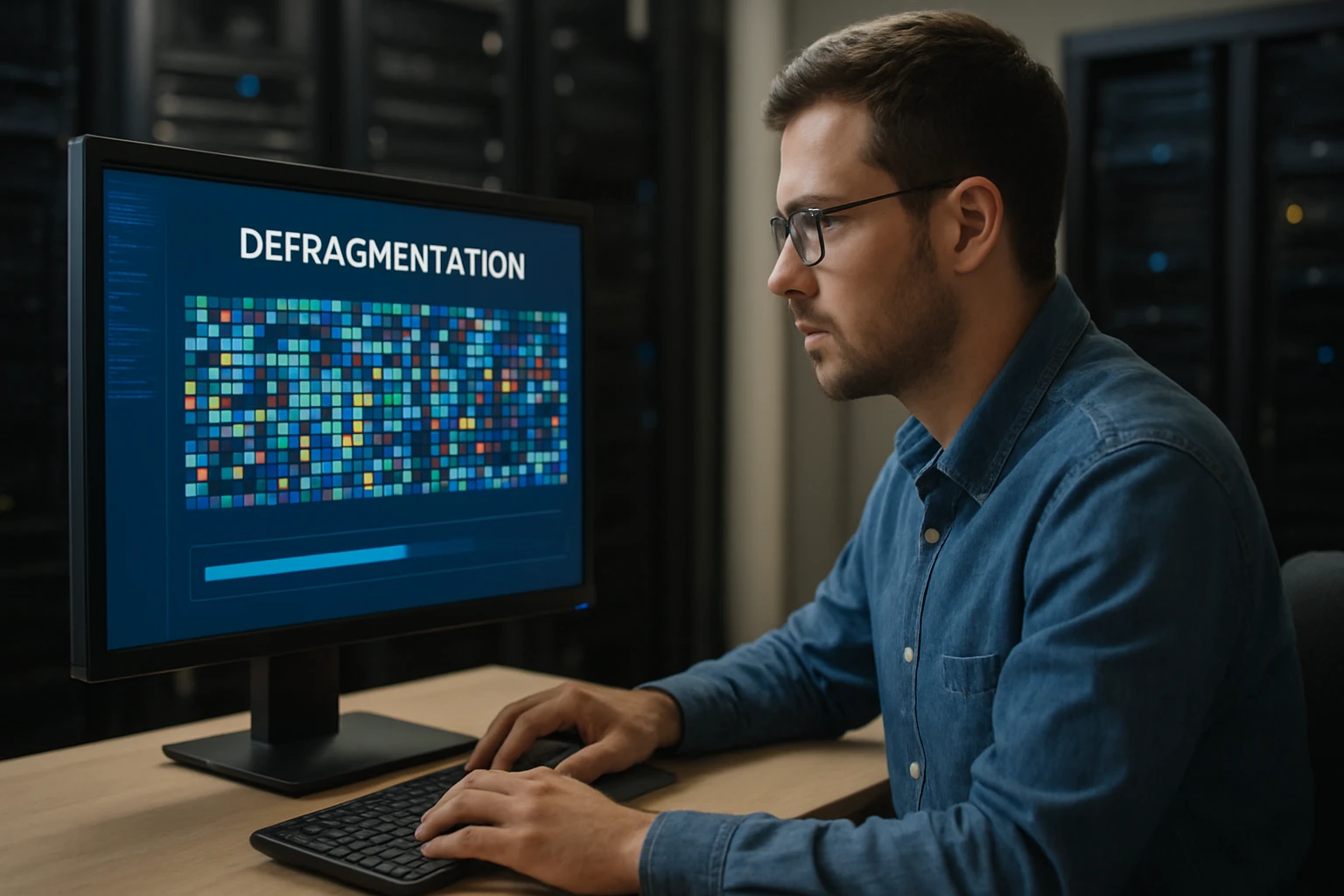
The relentless clicking of a hard drive searching for scattered file pieces once haunted computer users worldwide, transforming simple tasks into exercises in patience. This mechanical symphony of inefficiency sparked my fascination with defragmentation—a process that seemed almost magical in its ability to restore order from digital chaos. The satisfaction of watching fragmented files reorganize themselves into contiguous blocks represents more than mere technical optimization; it embodies our fundamental desire to create order from disorder.
Defragmentation refers to the process of reorganizing data on storage devices to eliminate fragmentation, where files become scattered across non-contiguous sectors. This comprehensive exploration examines defragmentation from multiple angles: its technical mechanisms, performance implications, evolution across different storage technologies, and practical applications. We'll delve into both traditional hard disk drives and modern solid-state drives, examining how defragmentation strategies have adapted to changing storage landscapes.
Through this detailed examination, you'll gain deep insights into how fragmentation occurs, why it impacts system performance, and when defragmentation proves beneficial or potentially harmful. You'll discover practical strategies for optimizing storage performance, understand the differences between various defragmentation tools, and learn how to make informed decisions about storage maintenance across different computing environments.
Understanding File Fragmentation Fundamentals
File fragmentation occurs when operating systems store file data in non-contiguous clusters across storage media. When files are created, modified, or deleted, storage space becomes increasingly scattered, forcing new files to occupy whatever available space exists. This process creates a patchwork of data distribution that significantly impacts storage performance and system efficiency.
The fragmentation process begins innocuously during normal computer operation. As users save documents, install programs, and delete files, the file system allocates available space wherever it finds room. Initially, files may be stored contiguously, but as storage fills and empties repeatedly, gaps appear between occupied sectors.
"Fragmentation is the inevitable consequence of dynamic storage allocation—every write operation potentially creates the conditions for future performance degradation."
Modern file systems attempt to minimize fragmentation through various allocation strategies. NTFS, for example, reserves space for file growth and attempts to allocate contiguous blocks when possible. However, these preventive measures cannot entirely eliminate fragmentation, particularly on heavily used systems with limited free space.
The degree of fragmentation varies significantly based on usage patterns, available free space, and file system characteristics. Systems with less than 15% free space experience exponentially increasing fragmentation rates, while those maintaining 25% or more free space show dramatically reduced fragmentation levels.
Types of Storage Fragmentation
Storage fragmentation manifests in several distinct forms, each presenting unique challenges for system performance and optimization strategies.
File fragmentation represents the most common type, occurring when individual files become scattered across multiple non-contiguous clusters. Large files, particularly multimedia content and database files, are especially susceptible to this fragmentation type due to their size and frequent modification patterns.
Free space fragmentation develops when available storage space becomes scattered in small, unusable chunks throughout the drive. This fragmentation type prevents efficient allocation of new files and contributes to increased file fragmentation over time.
Directory fragmentation affects file system metadata structures, causing directory listings and file allocation tables to become scattered. This fragmentation type particularly impacts file system navigation and directory browsing performance, even when individual files remain relatively unfragmented.
Performance Impact Analysis
Fragmentation's performance impact extends far beyond simple file access delays, affecting multiple aspects of system operation and user experience. Understanding these impacts helps prioritize defragmentation efforts and evaluate optimization strategies effectively.
Read Performance Degradation
Fragmented files force storage devices to perform multiple seek operations to retrieve complete file contents. On traditional hard disk drives, each seek operation requires physical head movement, introducing mechanical delays that accumulate significantly across fragmented files. Sequential read operations, which should complete in milliseconds, can extend to several seconds when files are severely fragmented.
The impact varies dramatically based on file size and fragmentation severity. Small files with minimal fragmentation may show negligible performance differences, while large, heavily fragmented files can experience read speed reductions exceeding 300%. Database files and multimedia content are particularly susceptible to these performance penalties.
"Every additional fragment in a file represents another seek operation—and on mechanical drives, seeks are the enemy of performance."
Modern applications often compound these issues by accessing multiple files simultaneously. When several fragmented files are accessed concurrently, drive heads must constantly reposition themselves, creating a thrashing effect that degrades overall system responsiveness.
Write Operation Challenges
Write operations face unique challenges in fragmented storage environments. When saving new files or expanding existing ones, the file system must locate sufficient contiguous space or fragment the new data across available gaps. This process requires additional metadata updates and can trigger cascading fragmentation effects.
Fragmented free space particularly impacts write performance by forcing the file system to split new files across multiple non-contiguous areas. This splitting process requires additional allocation table updates and increases the likelihood of future fragmentation, creating a self-perpetuating cycle of performance degradation.
Applications performing frequent write operations, such as video editing software or database management systems, experience disproportionate performance impacts in fragmented environments. These applications often require sustained write throughput that fragmentation severely compromises.
Traditional Hard Drive Defragmentation
Traditional hard disk drives rely on mechanical components that make them particularly susceptible to fragmentation-related performance issues. Understanding these mechanisms provides crucial insight into why defragmentation remains essential for mechanical storage optimization.
Mechanical Limitations and Seek Times
Hard disk drives store data on rotating platters accessed by movable read/write heads. When files become fragmented, heads must physically reposition themselves to access different file segments, introducing seek times that can range from 3-15 milliseconds per movement. While seemingly minimal, these delays accumulate rapidly when accessing heavily fragmented files.
The relationship between fragmentation and seek times follows a non-linear pattern. Moderately fragmented files may show minimal performance impact, but severely fragmented files can experience exponential performance degradation as seek operations dominate access times.
Drive manufacturers have implemented various optimizations to minimize seek time impacts, including larger cache buffers, improved head positioning algorithms, and predictive caching strategies. However, these optimizations cannot entirely eliminate the fundamental mechanical limitations that make fragmentation problematic for hard disk drives.
Defragmentation Algorithms for HDDs
Traditional defragmentation algorithms focus on reorganizing file data to minimize seek operations and maximize sequential access patterns. These algorithms employ various strategies to achieve optimal data placement while minimizing the time required for reorganization.
Full defragmentation moves all file data to create completely contiguous allocation patterns. This approach provides maximum performance benefits but requires significant time and temporary storage space. Full defragmentation works best on drives with substantial free space and minimal ongoing activity.
Quick defragmentation targets only the most severely fragmented files, providing performance improvements with reduced processing time. This approach prioritizes files based on size, access frequency, and fragmentation severity, optimizing the most impactful reorganization opportunities first.
"The best defragmentation strategy balances performance gains against the time investment required—perfect organization isn't always worth the cost."
Intelligent defragmentation analyzes file access patterns and system usage to optimize placement strategies. These algorithms consider factors such as file access frequency, modification patterns, and application requirements to create customized organization schemes that maximize real-world performance benefits.
| Defragmentation Type | Processing Time | Performance Gain | Best Use Case |
|---|---|---|---|
| Full Defragmentation | 2-8 hours | 85-95% | Quarterly maintenance |
| Quick Defragmentation | 15-45 minutes | 60-75% | Monthly optimization |
| Intelligent Defragmentation | 30-90 minutes | 70-85% | Ongoing maintenance |
Solid State Drive Considerations
Solid-state drives fundamentally alter the defragmentation landscape through their electronic storage mechanisms and unique performance characteristics. Understanding these differences is crucial for making informed storage optimization decisions in modern computing environments.
Why SSDs Handle Fragmentation Differently
Solid-state drives eliminate mechanical seek operations entirely, accessing any storage location with identical speed regardless of physical placement. This characteristic makes traditional fragmentation concerns largely irrelevant for SSD performance optimization, as fragmented files can be accessed just as quickly as contiguous ones.
The absence of mechanical components means SSDs don't experience the seek time penalties that make fragmentation problematic for hard disk drives. Random access patterns, which devastate HDD performance, have minimal impact on SSD operation, fundamentally changing optimization priorities.
However, SSDs introduce new considerations that traditional defragmentation doesn't address. Wear leveling, write amplification, and finite write endurance create optimization challenges that require different approaches than mechanical drive defragmentation.
Write Endurance and Wear Leveling
SSD optimization focuses on minimizing unnecessary write operations rather than reorganizing data placement. Every write operation consumes a portion of the drive's finite write endurance, making unnecessary defragmentation potentially harmful to drive longevity.
Modern SSDs implement sophisticated wear leveling algorithms that distribute write operations across all available storage cells. These algorithms automatically optimize data placement to maximize drive lifespan, making manual reorganization redundant and potentially counterproductive.
"Defragmenting an SSD is like rearranging deck chairs on a ship that doesn't need them rearranged—it accomplishes nothing while consuming valuable resources."
TRIM command support allows operating systems to inform SSDs about deleted data, enabling more efficient space management and garbage collection. This communication mechanism provides performance benefits similar to defragmentation without the associated write endurance costs.
SSD Optimization Alternatives
Instead of traditional defragmentation, SSD optimization focuses on minimizing write amplification and maintaining consistent performance through proper space management and system configuration.
TRIM optimization ensures deleted file space is properly marked for reuse, preventing performance degradation that occurs when SSDs must manage stale data. Regular TRIM operations maintain optimal write performance and prevent the accumulation of invalid data blocks.
Over-provisioning management maintains sufficient free space for internal SSD operations, including wear leveling and garbage collection. SSDs typically reserve 7-15% of total capacity for these operations, but additional user-maintained free space can improve performance and longevity.
Alignment optimization ensures file system partitions align with SSD block boundaries, minimizing write amplification that occurs when single logical operations trigger multiple physical write operations. Proper alignment can improve performance by 10-30% while reducing wear.
Operating System Integration
Modern operating systems incorporate sophisticated storage management features that automate many defragmentation and optimization tasks. Understanding these integrated systems helps users make informed decisions about manual optimization interventions.
Windows Storage Optimization
Windows includes built-in storage optimization tools that automatically detect drive types and apply appropriate optimization strategies. The system distinguishes between HDDs and SSDs, applying defragmentation to mechanical drives while using TRIM optimization for solid-state storage.
Scheduled optimization runs automatically on a weekly basis, analyzing drive fragmentation levels and performing optimization when beneficial. Users can customize these schedules or disable automatic optimization for specific drives based on usage patterns and performance requirements.
The Windows optimization system also monitors drive health and performance, providing alerts when storage issues require attention. This monitoring includes fragmentation analysis, free space tracking, and error detection that helps prevent performance degradation before it becomes problematic.
macOS and Linux Approaches
macOS employs a different optimization philosophy, focusing on preventing fragmentation rather than correcting it after occurrence. The HFS+ and APFS file systems include features that minimize fragmentation during normal operation, reducing the need for periodic defragmentation.
Linux distributions offer various optimization tools and strategies, ranging from automatic background optimization to manual command-line utilities. The ext4 file system includes built-in fragmentation resistance features, while tools like e4defrag provide manual optimization capabilities when needed.
"The best storage optimization happens transparently—users shouldn't need to think about fragmentation in properly designed systems."
Cross-platform optimization strategies focus on maintaining adequate free space, using appropriate file systems for specific use cases, and implementing regular maintenance schedules that prevent severe fragmentation accumulation.
Defragmentation Tools and Software
The defragmentation software landscape includes numerous options ranging from built-in operating system tools to specialized third-party applications. Each tool category offers distinct advantages and limitations that affect optimization effectiveness and user experience.
Built-in Operating System Tools
Operating system-integrated defragmentation tools provide basic optimization capabilities with the advantage of seamless system integration and automatic scheduling. These tools understand system file locations and can safely optimize storage without risking system stability.
Windows Disk Defragmenter offers straightforward defragmentation with minimal user configuration required. The tool automatically detects drive types and applies appropriate optimization strategies, making it suitable for users who prefer automated maintenance approaches.
The simplicity of built-in tools comes with limitations in customization and advanced features. Users requiring specific optimization strategies or detailed control over the defragmentation process may find operating system tools insufficient for their needs.
Third-Party Defragmentation Solutions
Specialized defragmentation software provides advanced features and customization options beyond basic operating system capabilities. These tools often include detailed analysis features, multiple optimization algorithms, and scheduling flexibility that appeals to power users and system administrators.
Advanced defragmentation tools may offer features such as boot-time defragmentation for system files, free space consolidation, and intelligent file placement based on access patterns. Some tools also include additional optimization features like registry cleaning and temporary file removal.
However, third-party tools require careful evaluation to ensure compatibility and safety. Poorly designed defragmentation software can damage file systems or cause data loss, making reputation and testing crucial factors in tool selection.
| Tool Category | Ease of Use | Feature Set | Safety | Cost |
|---|---|---|---|---|
| Built-in OS Tools | Excellent | Basic | Excellent | Free |
| Basic Third-Party | Good | Moderate | Good | $20-50 |
| Professional Tools | Moderate | Advanced | Good | $50-200 |
| Enterprise Solutions | Complex | Comprehensive | Excellent | $200+ |
Performance Monitoring and Analysis
Effective storage optimization requires ongoing monitoring and analysis to identify fragmentation issues before they significantly impact system performance. Understanding monitoring techniques and metrics helps users maintain optimal storage performance over time.
Fragmentation Measurement Techniques
Fragmentation analysis involves examining multiple metrics that collectively indicate storage organization efficiency. File fragmentation percentages provide basic insight, but comprehensive analysis requires examining fragment counts, average fragment sizes, and free space distribution patterns.
Modern analysis tools examine fragmentation at both file and free space levels, providing detailed reports that identify specific optimization opportunities. These tools can prioritize optimization targets based on performance impact potential, helping users focus efforts on the most beneficial improvements.
"Measuring fragmentation isn't just about percentages—it's about understanding how storage patterns affect real-world performance."
Automated monitoring systems can track fragmentation trends over time, identifying usage patterns that contribute to rapid fragmentation accumulation. This historical analysis helps optimize maintenance schedules and identify applications or workflows that require special attention.
Performance Benchmarking
Storage performance benchmarking provides quantitative measurement of fragmentation impacts and optimization effectiveness. Benchmark tests should examine both sequential and random access patterns to comprehensively evaluate storage performance characteristics.
Before and after benchmarking helps validate defragmentation effectiveness and justify optimization efforts. These tests should include realistic workload simulations that reflect actual usage patterns rather than synthetic benchmarks that may not correlate with real-world performance.
Ongoing performance monitoring helps identify when storage optimization becomes necessary and validates the effectiveness of maintenance strategies. Regular benchmarking can reveal performance degradation trends that indicate needed changes in optimization approaches or schedules.
Best Practices and Maintenance Strategies
Developing effective storage maintenance strategies requires balancing optimization benefits against time investment and potential risks. Successful strategies consider drive types, usage patterns, and performance requirements to create customized maintenance approaches.
Preventive Maintenance Approaches
Preventing severe fragmentation proves more effective than correcting it after occurrence. Maintaining adequate free space represents the most important preventive measure, as drives with less than 15% free space experience rapidly accelerating fragmentation rates.
Regular file cleanup removes temporary files, browser caches, and other transient data that contributes to fragmentation without providing ongoing value. Automated cleanup tools can perform these tasks on scheduled intervals, maintaining storage efficiency with minimal user intervention.
Application management also impacts fragmentation patterns. Installing and uninstalling software frequently creates fragmentation, while maintaining stable application sets reduces storage organization disruption.
Scheduling Optimization Tasks
Effective scheduling balances optimization frequency against system availability and performance requirements. Weekly analysis with monthly optimization typically provides good results for most users, though high-usage systems may benefit from more frequent attention.
Scheduling optimization during low-usage periods minimizes impact on productivity while ensuring adequate time for completion. Overnight or weekend scheduling works well for most environments, though 24/7 systems require careful timing coordination.
"Consistent, gentle maintenance prevents the need for dramatic intervention—small, regular efforts yield better results than occasional heroic measures."
Automated scheduling systems can adjust optimization frequency based on measured fragmentation levels and system usage patterns. These adaptive approaches optimize maintenance efficiency while ensuring adequate storage performance.
Advanced Optimization Techniques
Beyond basic defragmentation, advanced optimization techniques can provide additional performance benefits and address specific storage challenges that standard tools may not handle effectively.
Boot-Time Optimization
System files and frequently accessed applications benefit from special placement strategies that minimize startup times and improve overall system responsiveness. Boot-time defragmentation can reorganize these critical files when they're not in use, achieving optimization impossible during normal operation.
Registry optimization and system file placement can significantly impact startup performance and application launch times. These optimizations require careful handling to avoid system instability, but properly executed techniques can provide substantial performance improvements.
Hibernation file and virtual memory optimization also contribute to system performance, particularly on systems with limited RAM. Proper placement of these files can improve both startup times and overall system responsiveness during operation.
Multi-Drive Optimization Strategies
Systems with multiple storage drives benefit from strategic data placement that leverages each drive's characteristics. Separating operating system files, applications, and user data across different drives can improve performance while simplifying maintenance requirements.
SSD and HDD combinations allow for intelligent data tiering that places frequently accessed files on fast SSD storage while using larger HDD capacity for archival data. This approach maximizes performance benefits while controlling storage costs.
RAID configurations require specialized optimization approaches that consider the interaction between multiple drives and redundancy requirements. Proper RAID optimization can provide both performance and reliability benefits when correctly implemented.
FAQ: Defragmentation Questions and Answers
What is the difference between defragmentation and disk cleanup?
Defragmentation reorganizes existing file data to eliminate fragmentation, while disk cleanup removes unnecessary files to free storage space. Both processes can improve performance, but they address different aspects of storage optimization.
How often should I defragment my hard drive?
For traditional hard drives, monthly defragmentation typically provides good results for average users. Heavy users may benefit from weekly optimization, while light users might only need quarterly maintenance.
Can defragmentation damage my SSD?
Traditional defragmentation can unnecessarily consume SSD write endurance without providing performance benefits. Modern operating systems automatically disable defragmentation for SSDs and use TRIM optimization instead.
Why does my computer slow down after defragmentation?
Temporary slowdown immediately after defragmentation is normal as the system rebuilds file indexes and caches. Performance should improve within a few hours of completing optimization.
Is it safe to use my computer during defragmentation?
While possible, using the computer during defragmentation significantly extends processing time and may reduce optimization effectiveness. Background defragmentation is safer but less efficient than dedicated optimization sessions.
What's the difference between quick and full defragmentation?
Quick defragmentation targets only severely fragmented files and can complete in 15-45 minutes. Full defragmentation reorganizes all files and free space but may require several hours to complete.