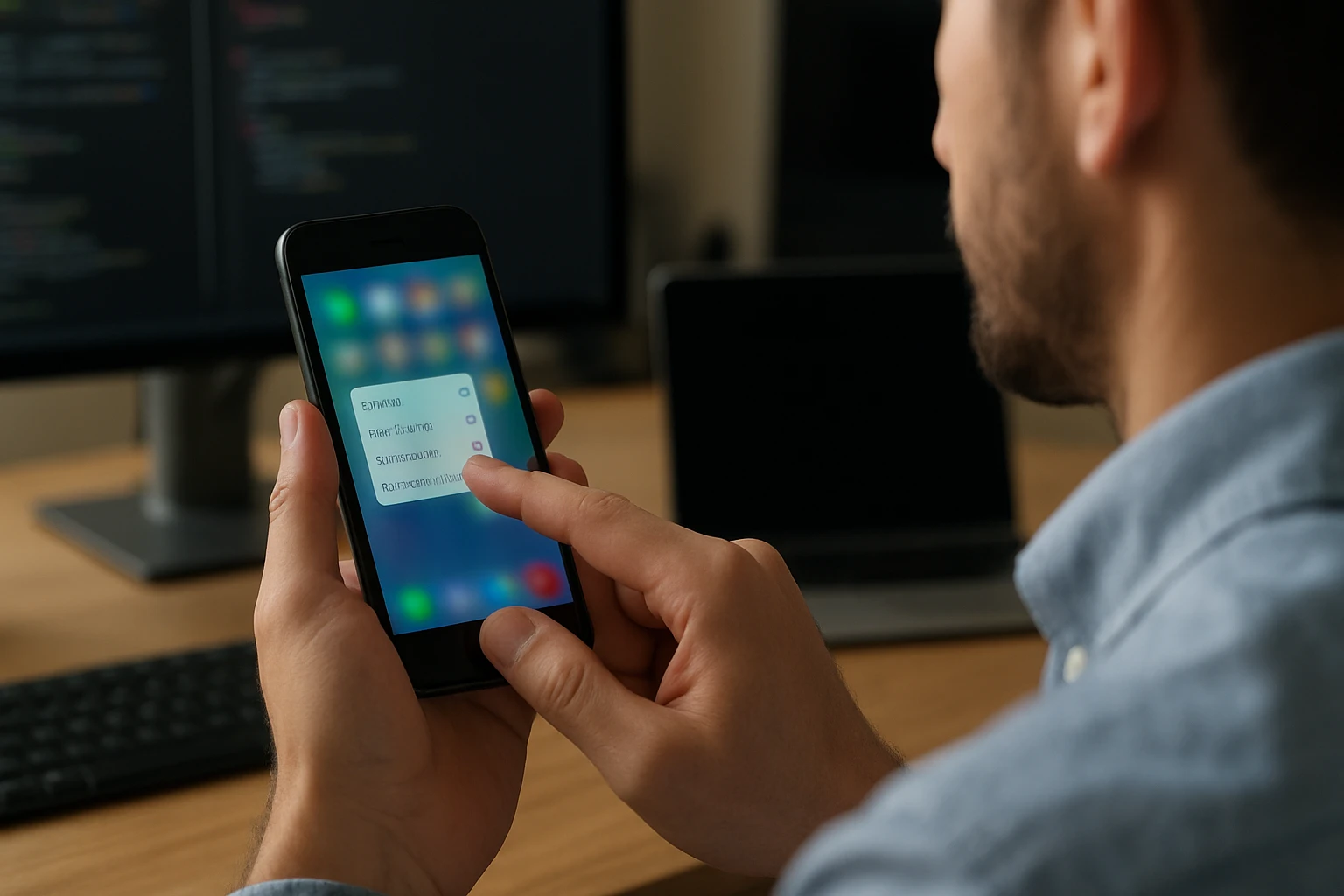
The tactile revolution that swept through mobile technology in the mid-2010s fundamentally changed how we interact with our devices. Apple's 3D Touch represented a breakthrough moment when smartphones evolved beyond simple tap-and-swipe interactions, introducing pressure-sensitive capabilities that promised to transform user experiences. This technology captured attention not just for its technical sophistication, but for its potential to create more intuitive and efficient ways of navigating digital interfaces.
3D Touch technology enables devices to distinguish between different levels of pressure applied to the screen, creating multiple interaction layers beyond traditional touch gestures. This pressure-sensitive interface promised to deliver contextual shortcuts, enhanced productivity features, and a more nuanced relationship between users and their devices, offering glimpses into the future of human-computer interaction.
Through exploring the technical foundations, practical applications, user adoption patterns, and eventual discontinuation of this technology, you'll gain comprehensive insights into how innovative features succeed or struggle in the competitive landscape of consumer electronics. This examination reveals valuable lessons about user behavior, technological implementation, and the complex factors that determine whether groundbreaking features become industry standards or fascinating footnotes in tech history.
Understanding the Technical Foundation
The engineering marvel behind pressure-sensitive touch technology relied on sophisticated sensor arrays embedded beneath the display surface. These capacitive sensors could detect minute changes in screen deformation when users applied varying degrees of pressure. The system measured these pressure variations and translated them into distinct input commands, creating what essentially amounted to a third dimension of touch interaction.
"The true innovation lies not in detecting pressure, but in making that detection feel natural and responsive to human intuition."
The hardware implementation required precise calibration to distinguish between light taps, firm presses, and deep presses. This multi-layered detection system operated in real-time, providing immediate haptic feedback through the device's Taptic Engine. The combination of pressure detection and tactile response created a cohesive user experience that felt both familiar and revolutionary.
Sensor Technology and Implementation
The pressure-sensitive layer consisted of microscopic strain gauges distributed across the display assembly. These sensors measured the subtle flexing that occurred when users pressed the screen with different force levels. The technology required extraordinary precision, as the system needed to differentiate between intentional pressure variations and incidental contact variations that naturally occur during normal device usage.
Processing these sensor inputs demanded significant computational resources. The device's processor continuously analyzed pressure data, filtering out noise and interpreting genuine user intentions. This real-time processing ensured that pressure-sensitive interactions felt immediate and responsive, maintaining the fluid experience users expected from premium mobile devices.
| Technical Component | Function | Impact on User Experience |
|---|---|---|
| Capacitive Strain Gauges | Detect pressure variations | Enable force-level recognition |
| Taptic Engine | Provide haptic feedback | Confirm interaction success |
| Real-time Processing | Interpret pressure data | Ensure responsive interactions |
| Calibration System | Maintain accuracy | Adapt to usage patterns |
Practical Applications and User Interface Integration
The implementation of pressure-sensitive interactions opened numerous possibilities for enhanced user interfaces. Quick Actions became one of the most visible applications, allowing users to access contextual menus by pressing firmly on app icons. This feature transformed the home screen from a simple launcher into a dynamic interface where every icon could reveal additional functionality.
Peek and Pop functionality revolutionized content preview capabilities. Users could press lightly to preview emails, messages, or web links without fully opening them, then press harder to commit to the full interaction. This preview system promised to streamline workflows by reducing the number of navigation steps required for common tasks.
Enhanced Productivity Features
The pressure-sensitive interface extended beyond basic navigation to enhance creative and productivity applications. In photo editing apps, varying pressure levels could control brush opacity or tool intensity. Text editing benefited from pressure-sensitive cursor positioning, allowing users to place the cursor precisely within documents by pressing and moving their finger.
Gaming applications leveraged the technology to create more immersive control schemes. Racing games could interpret pressure variations as accelerator input, while action games used force sensitivity to control character movements or weapon systems. These implementations demonstrated the technology's potential to create more nuanced and engaging interactive experiences.
"Pressure sensitivity transforms static interfaces into dynamic, responsive environments that adapt to user intentions in real-time."
User Adoption Patterns and Behavioral Analysis
Despite the technical sophistication and potential applications, user adoption of pressure-sensitive features revealed interesting patterns about human-computer interaction preferences. Many users initially struggled to discover these hidden functionalities, as they weren't immediately obvious through visual interface cues. The learning curve associated with remembering which elements supported pressure interactions created adoption barriers.
Research indicated that while power users embraced the efficiency gains offered by Quick Actions and preview features, casual users often overlooked these capabilities entirely. This adoption gap highlighted the challenge of introducing interaction paradigms that deviate from established touch conventions.
Discovery and Learning Challenges
The discoverability problem proved more significant than initially anticipated. Unlike traditional touch gestures that often have visual indicators or can be discovered through experimentation, pressure-sensitive features required users to apply specific force levels to specific interface elements. This requirement created a hidden layer of functionality that many users never explored.
Training users to adopt new interaction patterns required significant educational efforts. Apple implemented various strategies to increase awareness, including tutorial animations and contextual hints, but these measures had limited success in driving widespread adoption across all user segments.
| User Segment | Adoption Rate | Primary Use Cases | Barriers to Adoption |
|---|---|---|---|
| Power Users | 75-85% | Quick Actions, Peek/Pop | Limited app support |
| Casual Users | 25-35% | Accidental discovery | Lack of awareness |
| Enterprise Users | 45-55% | Productivity shortcuts | Inconsistent implementation |
| Gaming Enthusiasts | 60-70% | Enhanced controls | Game-specific learning |
App Developer Integration and Ecosystem Support
The success of any new interface technology depends heavily on third-party developer adoption. Apple provided comprehensive development tools and guidelines for implementing pressure-sensitive features, but developer uptake varied significantly across different app categories. Social media applications and productivity tools showed higher integration rates compared to utility apps or games.
Developer feedback revealed both enthusiasm for the creative possibilities and concerns about implementation complexity. Adding pressure-sensitive features required additional development time and testing, particularly for ensuring consistent behavior across different device models and user interaction patterns.
Implementation Challenges for Developers
Creating effective pressure-sensitive interactions demanded careful consideration of user experience design principles. Developers needed to balance the power of additional functionality with the risk of overwhelming users with complex interaction schemes. Many successful implementations focused on enhancing existing features rather than creating entirely new interaction paradigms.
The technical implementation required developers to handle multiple pressure states while maintaining compatibility with devices that lacked pressure-sensitive capabilities. This dual-support requirement added complexity to app development processes and sometimes led to inconsistent user experiences across different device generations.
"The most successful pressure-sensitive implementations enhanced existing interactions rather than replacing them entirely."
Industry Impact and Competitive Response
Apple's introduction of pressure-sensitive touch technology prompted responses throughout the mobile industry. Competitors explored various approaches to achieving similar functionality, from alternative pressure-detection methods to entirely different interaction paradigms. Some manufacturers focused on improving haptic feedback systems, while others investigated gesture-based alternatives.
The technology's influence extended beyond smartphones to other touch-enabled devices. Tablets, smartwatches, and even laptop trackpads began incorporating pressure-sensitive capabilities, though with varying degrees of success and user adoption.
Market Response and Alternative Approaches
Android device manufacturers experimented with different implementations of pressure-sensitive interactions. Some focused on edge-touch sensitivity, while others developed long-press alternatives that could approximate similar functionality without requiring specialized hardware. These alternative approaches demonstrated the industry's recognition of the value proposition while highlighting different technical and cost considerations.
The competitive landscape revealed interesting insights about feature differentiation versus user necessity. While pressure-sensitive touch represented a clear technical advancement, its market impact remained limited compared to other smartphone innovations like improved cameras or battery life enhancements.
Technical Evolution and Refinement
Throughout its implementation period, pressure-sensitive touch technology underwent continuous refinement. Software updates improved sensitivity calibration, expanded the range of supported applications, and enhanced the overall user experience. These iterative improvements demonstrated both the technology's potential and the challenges associated with perfecting new interaction paradigms.
The evolution process revealed important lessons about introducing complex technologies to consumer markets. Initial implementations often focused heavily on technical capabilities rather than user experience optimization, leading to features that impressed technically-minded users but failed to resonate with broader audiences.
Calibration and Sensitivity Improvements
Fine-tuning pressure sensitivity required balancing multiple factors including user comfort, interaction reliability, and battery efficiency. Early implementations sometimes suffered from inconsistent responsiveness or accidental activation, problems that required careful software calibration to resolve.
The learning algorithms built into the system gradually adapted to individual user patterns, improving accuracy and reducing false positives over time. This adaptive approach demonstrated the importance of machine learning in creating personalized interaction experiences.
"Successful implementation of pressure-sensitive technology requires continuous learning and adaptation to individual user behaviors."
User Experience Design Considerations
Creating effective pressure-sensitive interfaces demanded new approaches to user experience design. Traditional design principles needed expansion to accommodate the additional interaction dimension, requiring designers to consider not just what users would touch, but how they would touch it.
Visual feedback systems became crucial for communicating pressure-sensitive capabilities to users. Subtle animations, haptic responses, and contextual indicators helped bridge the gap between user intentions and system responses, making the invisible pressure dimension more tangible and understandable.
Accessibility and Inclusive Design
Pressure-sensitive interactions raised important questions about accessibility and inclusive design. Users with motor disabilities or limited hand strength might struggle with applying consistent pressure levels, potentially creating barriers to accessing certain features. Addressing these concerns required careful consideration of alternative interaction methods and adjustable sensitivity settings.
The implementation of pressure-sensitive features needed to complement rather than replace traditional touch interactions. This redundancy ensured that all users could access core functionality regardless of their ability to utilize pressure-sensitive capabilities effectively.
Performance Impact and Battery Considerations
The continuous monitoring required for pressure-sensitive interactions had measurable impacts on device performance and battery life. The sensor arrays and real-time processing systems consumed additional power, though optimization efforts minimized these effects over time.
Performance optimization became crucial for maintaining the responsive user experience that users expected from premium devices. The pressure-detection systems needed to operate efficiently without interfering with other device functions or creating noticeable delays in standard touch interactions.
Resource Management and Optimization
Balancing the computational demands of pressure detection with overall system performance required sophisticated resource management strategies. The system needed to remain responsive to pressure inputs while preserving processing power for other applications and system functions.
Battery optimization efforts focused on intelligent sensor activation, reducing power consumption when pressure-sensitive features weren't actively being used. These power management strategies helped minimize the technology's impact on overall device battery life.
"Effective implementation of advanced touch technologies requires careful balance between functionality and resource efficiency."
Market Reception and Consumer Feedback
Consumer reception of pressure-sensitive touch technology revealed complex patterns of appreciation and frustration. While many users acknowledged the technical achievement and potential benefits, practical adoption remained inconsistent across different user groups and usage scenarios.
Feedback indicated that users most appreciated pressure-sensitive features when they enhanced existing workflows rather than requiring entirely new interaction patterns. Quick access to frequently used functions proved more valuable than novel but infrequently used capabilities.
Long-term Usage Patterns
Analysis of long-term usage data revealed that pressure-sensitive feature adoption often followed a curve where initial enthusiasm gave way to selective usage of specific features that provided clear value. Users tended to adopt one or two pressure-sensitive interactions that fit their workflow while ignoring others.
The most successful pressure-sensitive implementations became invisible to users, integrating so seamlessly into their interaction patterns that the technology felt natural rather than novel. This integration represented the ultimate goal of any new interface technology.
The Decision to Discontinue
Apple's eventual decision to discontinue pressure-sensitive touch technology reflected multiple factors including user adoption rates, technical complexity, and evolving design priorities. The transition away from this technology demonstrated how even sophisticated and well-implemented features can become casualties of changing market demands and design philosophies.
The discontinuation process involved careful consideration of existing users who had integrated pressure-sensitive features into their workflows. Alternative interaction methods needed development to maintain functionality while simplifying the overall user experience.
Lessons Learned and Industry Impact
The pressure-sensitive touch experience provided valuable insights into technology adoption patterns and user behavior. The gap between technical capability and practical adoption highlighted the importance of user-centered design in technology development.
"Innovation success depends not just on technical achievement, but on solving real problems that users recognize and value."
These lessons influenced subsequent interface design decisions and helped shape more focused approaches to introducing new interaction paradigms. The experience demonstrated that revolutionary technologies require evolutionary adoption strategies to achieve widespread success.
Alternative Technologies and Future Directions
The discontinuation of pressure-sensitive touch opened opportunities for alternative approaches to enhanced touch interactions. Haptic feedback improvements, gesture recognition advances, and voice interface integration offered different paths toward more intuitive device interactions.
Contemporary developments in touch technology focus more on improving existing interaction paradigms rather than adding new complexity layers. These approaches prioritize user familiarity while still advancing the capabilities and responsiveness of touch interfaces.
Emerging Interaction Paradigms
Current research explores various alternatives to pressure-sensitive interactions, including improved gesture recognition, contextual interface adaptation, and enhanced haptic feedback systems. These technologies aim to provide similar benefits while reducing complexity and improving accessibility.
The evolution toward more natural and intuitive interfaces continues, with researchers exploring everything from eye tracking integration to advanced machine learning approaches that predict user intentions. These developments build on lessons learned from pressure-sensitive implementations while addressing their limitations.
What was Apple 3D Touch and how did it work?
Apple 3D Touch was a pressure-sensitive touch technology that could detect different levels of force applied to the screen. It used capacitive sensors beneath the display to measure pressure variations and translate them into different interaction commands, combined with haptic feedback to confirm user actions.
Why did Apple discontinue 3D Touch?
Apple discontinued 3D Touch due to limited user adoption, technical complexity, and design simplification goals. Many users never discovered or regularly used pressure-sensitive features, and the technology added complexity without providing proportional benefits for most users.
What replaced 3D Touch functionality?
Apple replaced 3D Touch with Haptic Touch, which uses long-press gestures combined with haptic feedback to provide similar functionality. This approach simplified the interaction model while maintaining access to contextual menus and preview features.
Did other manufacturers adopt similar pressure-sensitive technology?
Some Android manufacturers experimented with pressure-sensitive features, but most focused on alternative approaches like edge touch sensitivity or enhanced long-press interactions. The industry generally moved toward simpler interaction paradigms rather than adopting complex pressure-detection systems.
What were the main applications of 3D Touch?
The primary applications included Quick Actions for accessing contextual menus from app icons, Peek and Pop for previewing content, pressure-sensitive controls in creative applications, and enhanced cursor positioning in text editing. Gaming applications also used pressure sensitivity for more nuanced control schemes.
How did 3D Touch impact app development?
3D Touch required developers to implement additional interaction layers and maintain compatibility across devices with and without pressure-sensitive capabilities. While some developers embraced the creative possibilities, many found the implementation complexity challenging relative to user adoption rates.