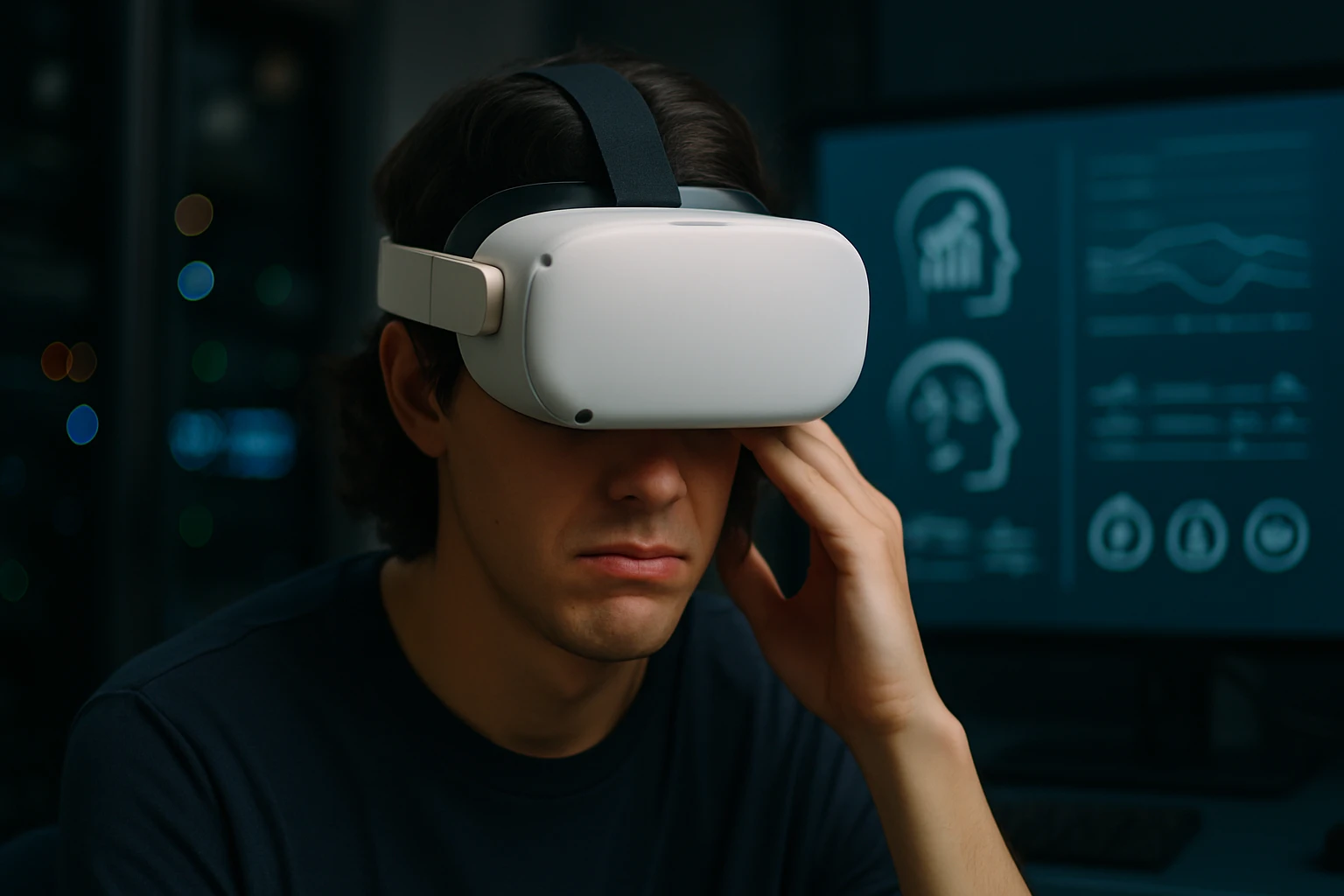
The moment I first experienced virtual reality, I was captivated by the endless possibilities of stepping into digital worlds. However, my excitement quickly turned to discomfort as waves of nausea and dizziness overwhelmed me within minutes. This jarring contrast between wonder and physical distress sparked my deep interest in understanding why our bodies sometimes rebel against these immersive experiences, and more importantly, how we can prevent it from happening.
VR sickness, also known as cybersickness or simulator sickness, is a form of motion sickness that occurs when using virtual reality technology. Unlike traditional motion sickness experienced in cars or boats, VR sickness stems from a disconnect between what our eyes see and what our inner ear feels, creating a sensory conflict that can leave users feeling queasy, disoriented, and uncomfortable. This phenomenon affects people differently, with some experiencing mild symptoms while others find VR completely unusable without proper precautions.
Throughout this exploration, you'll discover the intricate mechanisms behind VR sickness, learn to recognize its various symptoms, and gain practical strategies for prevention and management. We'll examine the latest research findings, explore technological solutions being developed, and provide actionable advice for both newcomers and experienced VR users who want to maximize their comfort during virtual experiences.
The Science Behind VR Sickness
Sensory Conflict Theory
The human brain relies on multiple sensory inputs to maintain balance and spatial orientation. Our visual system, vestibular system (inner ear), and proprioceptive system (body position awareness) work together seamlessly in the real world. However, virtual reality creates an unprecedented situation where these systems receive conflicting information.
When you're standing still in your living room but visually moving through a virtual environment, your eyes tell your brain you're in motion while your inner ear insists you're stationary. This sensory mismatch triggers the same evolutionary response our ancestors developed to detect potential poisoning – nausea and the urge to vomit.
The intensity of this conflict varies depending on the type of VR experience. Passive experiences like watching 360-degree videos typically cause less distress than active gaming scenarios involving rapid movement or acceleration.
Neurological Responses
Research has revealed that VR sickness activates specific neural pathways associated with motion sickness. The brain's attempt to reconcile conflicting sensory information creates a cascade of physiological responses that can persist even after removing the headset.
The vestibular system contains tiny calcium carbonate crystals called otoliths that detect linear acceleration and gravity. When these crystals don't register the movement your eyes are seeing, the resulting confusion can trigger symptoms ranging from mild discomfort to severe nausea.
"The brain's remarkable ability to adapt to new sensory environments is both our greatest asset and our biggest challenge when it comes to virtual reality experiences."
Recognizing VR Sickness Symptoms
Physical Manifestations
VR sickness presents itself through various physical symptoms that can appear during or after virtual reality use. Understanding these warning signs helps users take preventive action before symptoms become severe.
Common physical symptoms include:
- Nausea and stomach discomfort
- Dizziness and vertigo
- Headaches and eye strain
- Sweating and pallor
- Fatigue and drowsiness
- Loss of appetite
The onset of symptoms varies significantly among individuals. Some people experience immediate discomfort, while others may feel fine during use but develop symptoms afterward – a phenomenon known as the "sopite syndrome."
Cognitive and Emotional Effects
Beyond physical discomfort, VR sickness can impact cognitive function and emotional well-being. Users may experience difficulty concentrating, memory problems, or feelings of disorientation that persist after the VR session ends.
Cognitive symptoms often include:
- Difficulty focusing
- Spatial disorientation
- Memory lapses
- Reduced reaction times
- Confusion about real vs. virtual environments
These cognitive effects can be particularly concerning for users who need to drive or operate machinery shortly after VR use. The duration of these symptoms typically ranges from a few minutes to several hours, depending on the individual and the intensity of the VR experience.
Risk Factors and Individual Susceptibility
Demographic Influences
Age plays a significant role in VR sickness susceptibility. Children and teenagers often adapt more quickly to virtual environments, while adults over 40 may experience more severe symptoms. This age-related difference likely stems from the brain's decreased neuroplasticity as we mature.
Gender differences also emerge in VR sickness research. Studies consistently show that women report higher rates of motion sickness and VR discomfort compared to men. Hormonal fluctuations, particularly during menstruation, pregnancy, or menopause, can increase susceptibility to motion-related nausea.
Previous experience with motion sickness serves as a strong predictor of VR sickness susceptibility. Individuals who get carsick, seasick, or experience discomfort on amusement park rides are more likely to struggle with virtual reality environments.
Physiological Factors
Individual variations in vestibular function significantly impact VR tolerance. Some people naturally have more sensitive balance systems, making them prone to motion-related discomfort in various situations, including virtual environments.
Key physiological factors include:
- Vestibular sensitivity levels
- Visual acuity and depth perception
- Inner ear health and function
- Overall physical fitness
- Medication effects
Certain medications, particularly those affecting the central nervous system, can increase VR sickness susceptibility. Antihistamines, antidepressants, and blood pressure medications may alter the brain's ability to process conflicting sensory information.
"Understanding your personal risk factors is the first step toward developing an effective strategy for comfortable VR experiences."
Prevention Strategies and Best Practices
Pre-Session Preparation
Proper preparation before entering virtual reality can significantly reduce the likelihood of experiencing sickness. Creating optimal conditions for your VR session involves both physical and environmental considerations.
Essential preparation steps:
- Ensure adequate sleep and hydration
- Avoid heavy meals 2-3 hours before use
- Choose comfortable, loose-fitting clothing
- Adjust room temperature to slightly cool
- Minimize external distractions
The physical environment plays a crucial role in VR comfort. A well-ventilated, cool room helps prevent overheating, which can exacerbate nausea symptoms. Removing potential tripping hazards and ensuring adequate play space reduces anxiety about physical safety.
Gradual Exposure Techniques
Building VR tolerance through progressive exposure represents one of the most effective prevention strategies. This approach, similar to desensitization therapy, allows your nervous system to gradually adapt to virtual environments without overwhelming your sensory systems.
Start with short sessions of 5-10 minutes using comfortable, stationary experiences. Gradually increase session length and complexity as your tolerance improves. This methodical approach helps train your brain to better integrate conflicting sensory information.
Progressive exposure timeline:
- Week 1: 5-10 minute stationary experiences
- Week 2: 10-15 minute sessions with minimal movement
- Week 3: 15-20 minute sessions with slow locomotion
- Week 4+: Normal gaming sessions with breaks as needed
Taking regular breaks during longer VR sessions prevents symptom accumulation. The "20-20-20 rule" suggests removing the headset every 20 minutes to look at something 20 feet away for 20 seconds, helping reset your visual system.
Comfort Settings and Adjustments
Modern VR systems offer numerous comfort settings designed to reduce motion sickness. Understanding and properly configuring these options can dramatically improve your experience.
Key comfort settings include:
- Field of view reduction (tunneling effect)
- Snap turning instead of smooth rotation
- Teleportation movement vs. smooth locomotion
- Comfort grids or static reference points
- Reduced acceleration and deceleration
The interpupillary distance (IPD) setting must match your actual eye spacing for optimal comfort. Incorrect IPD settings can cause eye strain, headaches, and increased susceptibility to VR sickness. Most headsets include IPD adjustment tools or software calibration options.
Technological Solutions and Innovations
Hardware Improvements
The VR industry continues developing hardware solutions to minimize motion sickness. Higher refresh rates, improved display technology, and better tracking systems all contribute to more comfortable experiences.
Modern headsets feature refresh rates of 90Hz or higher, significantly reducing the visual lag that contributes to sensory conflict. Lower persistence displays minimize motion blur, creating clearer images during head movement and reducing visual-vestibular mismatch.
Recent hardware advances:
- OLED and LCD panels with reduced persistence
- 120Hz+ refresh rates for smoother motion
- Inside-out tracking for better positional accuracy
- Lighter headsets reducing neck strain
- Improved lens designs minimizing distortion
Wireless headsets eliminate cable tethering, allowing more natural movement and reducing the risk of tripping or tangling. This freedom of movement can actually reduce motion sickness by allowing users to move naturally in response to virtual environments.
Software Innovations
Software developers have created numerous techniques to reduce VR sickness through clever design and implementation. These solutions work within existing hardware limitations to create more comfortable experiences.
Dynamic field of view adjustment automatically reduces peripheral vision during rapid movement, minimizing the sensory conflict that triggers motion sickness. This technique, known as "comfort vignetting," darkens the edges of your vision during potentially problematic movements.
Innovative software solutions:
- Artificial horizon lines for orientation reference
- Comfort grids providing visual stability
- Predictive motion algorithms reducing latency
- Adaptive comfort settings based on user behavior
- Real-time biometric monitoring for early warning
Some applications now incorporate biometric monitoring to detect early signs of motion sickness and automatically adjust comfort settings or suggest breaks before symptoms become severe.
"Technology continues evolving to bridge the gap between our biological limitations and our digital aspirations, making virtual worlds accessible to everyone."
Management Techniques During VR Use
Breathing and Relaxation Methods
Controlled breathing techniques can significantly reduce VR sickness symptoms when they begin to develop. Deep, slow breathing helps activate the parasympathetic nervous system, counteracting the stress response triggered by sensory conflict.
The 4-7-8 breathing technique proves particularly effective: inhale for 4 counts, hold for 7 counts, and exhale for 8 counts. This pattern can be performed while wearing the headset and helps reset your nervous system's response to conflicting sensory input.
Progressive muscle relaxation, starting with facial muscles and moving down through your body, can prevent tension buildup that exacerbates motion sickness symptoms. Maintaining relaxed shoulders and jaw reduces overall physical stress during VR sessions.
Cognitive Coping Strategies
Mental techniques can help manage the psychological aspects of VR sickness. Focusing on the virtual environment rather than physical sensations helps reduce the brain's attention to conflicting sensory information.
Effective cognitive strategies include:
- Concentrating on distant objects in the virtual scene
- Using positive self-talk and affirmations
- Practicing mindfulness and present-moment awareness
- Employing distraction techniques during uncomfortable moments
- Maintaining confidence in your ability to adapt
Visualization techniques, where you imagine yourself moving naturally through the virtual space, can help align your mental model with the visual experience. This cognitive alignment reduces the conflict between expected and actual sensory input.
Physical Positioning and Movement
Your physical stance and movement patterns during VR use significantly impact comfort levels. Standing with feet shoulder-width apart provides a stable base that helps your vestibular system maintain equilibrium despite visual motion.
Gentle swaying or stepping in place during virtual movement can provide proprioceptive feedback that matches the visual experience. This technique, called "comfort stepping," helps bridge the gap between what you see and what your body feels.
Optimal positioning techniques:
- Maintain upright posture with relaxed shoulders
- Keep feet planted firmly on the ground
- Use gentle head movements rather than rapid turns
- Match real movement to virtual movement when possible
- Take advantage of room-scale tracking capabilities
Treatment Options for Severe Cases
Medical Interventions
For individuals experiencing severe VR sickness that doesn't improve with standard prevention techniques, medical interventions may provide relief. Anti-motion sickness medications can be effective when used appropriately under medical supervision.
Over-the-counter options include dimenhydrinate (Dramamine) and meclizine (Bonine), which work by reducing vestibular sensitivity. However, these medications can cause drowsiness and may impair cognitive function, potentially affecting VR performance and safety.
Medical treatment options:
- Antihistamines for mild to moderate symptoms
- Scopolamine patches for severe motion sensitivity
- Ginger supplements as natural alternatives
- Prescription medications for chronic cases
- Vestibular rehabilitation therapy
Consulting with a healthcare provider familiar with motion sickness can help determine the most appropriate treatment approach for your specific situation and medical history.
Alternative Therapies
Several alternative approaches show promise for managing VR sickness, though scientific evidence varies for different treatments. Acupressure bands worn on the wrists target pressure points traditionally associated with nausea relief.
Ginger, whether consumed as tea, capsules, or candy, has demonstrated anti-nausea properties in multiple studies. Taking ginger 30-60 minutes before VR use may help prevent symptom onset in susceptible individuals.
Alternative treatment approaches:
- Acupressure and acupuncture
- Herbal remedies (ginger, peppermint)
- Aromatherapy with anti-nausea scents
- Biofeedback training
- Hypnotherapy for severe cases
These alternative approaches work best when combined with proper VR hygiene practices and technological comfort settings rather than as standalone solutions.
"The most effective approach to managing VR sickness often combines multiple strategies tailored to individual needs and preferences."
Long-term Adaptation and Habituation
Building VR Tolerance
Regular, consistent VR use typically leads to improved tolerance over time through a process called habituation. Your nervous system gradually learns to integrate conflicting sensory information more effectively, reducing the intensity and frequency of motion sickness symptoms.
The adaptation process varies significantly among individuals. Some people develop tolerance within days, while others may require weeks or months of gradual exposure. Consistency proves more important than session duration during this adaptation period.
Factors affecting adaptation speed:
- Frequency of VR sessions
- Variety of virtual experiences
- Individual neuroplasticity
- Age and overall health
- Previous motion sickness history
Maintaining a VR usage log can help track your progress and identify patterns in your symptoms. Recording session duration, comfort levels, and any symptoms helps optimize your adaptation strategy.
Maintaining Comfort Over Time
Even after developing good VR tolerance, maintaining comfort requires ongoing attention to best practices. Taking breaks from VR for extended periods can lead to some loss of adaptation, requiring a gradual return to longer sessions.
Regular headset maintenance, including cleaning lenses and adjusting fit, ensures optimal visual clarity and reduces eye strain that can contribute to motion sickness. Keeping your VR equipment in good condition supports consistent, comfortable experiences.
Long-term maintenance strategies:
- Regular equipment cleaning and calibration
- Periodic comfort setting reviews and adjustments
- Staying updated with software improvements
- Continuing gradual exposure to new experience types
- Monitoring personal comfort levels and adjusting accordingly
The Future of VR Comfort
Emerging Technologies
The next generation of VR technology promises significant improvements in comfort and accessibility. Advanced eye tracking systems will enable foveated rendering, reducing computational load while providing clearer visuals where you're looking.
Haptic feedback systems that provide physical sensations matching virtual experiences can help resolve sensory conflicts by giving your body tactile confirmation of virtual movements. Full-body haptic suits, while currently expensive, may become mainstream solutions for reducing motion sickness.
Future comfort technologies:
- Advanced eye tracking and foveated rendering
- Full-body haptic feedback systems
- Brain-computer interfaces for direct neural input
- Improved display technologies with higher resolution
- AI-powered adaptive comfort systems
Artificial intelligence will play an increasingly important role in personalizing VR experiences. AI systems could monitor your physiological responses in real-time and automatically adjust comfort settings to prevent motion sickness before symptoms develop.
Research Directions
Ongoing research continues exploring new approaches to understanding and preventing VR sickness. Studies investigating individual genetic factors that influence motion sensitivity may lead to personalized prevention strategies based on genetic profiles.
Neuroscience research examining brain activity during VR use provides insights into the specific neural mechanisms underlying motion sickness. This knowledge could lead to targeted interventions that address the root causes rather than just managing symptoms.
"The future of virtual reality lies not just in creating more immersive worlds, but in making those worlds accessible and comfortable for everyone."
| VR Sickness Severity Levels | Symptoms | Recommended Actions |
|---|---|---|
| Mild | Slight dizziness, minor eye strain | Continue with breaks every 15-20 minutes |
| Moderate | Noticeable nausea, headache, sweating | Reduce session length, adjust comfort settings |
| Severe | Strong nausea, vomiting, disorientation | Stop immediately, rest, consider medical consultation |
| Persistent | Symptoms lasting hours after use | Avoid VR until symptoms resolve, seek medical advice |
| Prevention Strategy Effectiveness | Immediate Relief | Long-term Benefits | Ease of Implementation |
|---|---|---|---|
| Comfort Settings | High | Medium | Very Easy |
| Gradual Exposure | Low | Very High | Easy |
| Proper Preparation | Medium | Medium | Easy |
| Breathing Techniques | High | Low | Easy |
| Medical Intervention | Very High | Low | Moderate |
| Hardware Upgrades | Medium | High | Difficult |
The journey toward comfortable VR experiences requires patience, experimentation, and a willingness to adapt your approach based on personal responses. While VR sickness presents a significant challenge for many users, the combination of proper preparation, technological solutions, and gradual adaptation makes virtual reality accessible to the vast majority of people.
Understanding that VR sickness is a normal physiological response rather than a personal failing helps maintain motivation during the adaptation process. Each person's path to VR comfort is unique, and what works for one individual may not work for another. The key lies in experimenting with different strategies while maintaining realistic expectations about the time required for adaptation.
As technology continues advancing and our understanding of motion sickness deepens, the barriers to comfortable VR experiences continue diminishing. The investment in learning to use VR comfortably opens doors to incredible experiences, from educational journeys through historical sites to collaborative workspaces that transcend geographical boundaries. With proper preparation and patience, the transformative potential of virtual reality becomes accessible to virtually everyone.
What is VR sickness and how is it different from regular motion sickness?
VR sickness is a form of motion sickness that occurs specifically when using virtual reality technology. Unlike traditional motion sickness that happens during actual physical movement, VR sickness results from a conflict between visual motion in the virtual environment and the lack of corresponding physical movement detected by your inner ear. This sensory mismatch triggers similar symptoms to regular motion sickness but can occur while you're completely stationary.
How long does it typically take to adapt to VR and stop experiencing sickness?
Adaptation time varies significantly among individuals, ranging from a few days to several weeks or months. Most people begin noticing improvement within 1-2 weeks of regular, gradual exposure. Factors affecting adaptation speed include age, previous motion sickness history, frequency of VR use, and individual neuroplasticity. Consistency in exposure is more important than session length during the adaptation period.
Can certain people never use VR due to motion sickness?
While some individuals are more susceptible to VR sickness than others, very few people are completely unable to use VR with proper techniques and patience. Those with severe vestibular disorders or chronic motion sensitivity may face greater challenges, but even these individuals can often find success with extremely gradual exposure, appropriate comfort settings, and sometimes medical assistance.
Are there any long-term health effects from VR sickness?
VR sickness itself doesn't cause long-term health problems. However, severe or repeated episodes can lead to temporary symptoms that persist after VR use, including fatigue, disorientation, and reduced concentration. These effects typically resolve within a few hours. If symptoms persist for extended periods or worsen over time, it's advisable to consult with a healthcare provider.
What should I do if I start feeling sick while using VR?
Stop using VR immediately when you first notice symptoms. Remove the headset, sit down if possible, and focus on a fixed point in the real world. Take slow, deep breaths and avoid sudden head movements. Don't try to "push through" the discomfort, as this can worsen symptoms and slow your adaptation process. Wait until symptoms completely resolve before trying VR again, and consider shorter sessions or different comfort settings for your next attempt.
Do expensive VR headsets cause less motion sickness than cheaper ones?
Higher-end VR headsets typically cause less motion sickness due to better specifications like higher refresh rates, lower latency, improved tracking accuracy, and better display technology. However, proper setup, comfort settings, and gradual exposure techniques are often more important than headset price for preventing VR sickness. Even premium headsets can cause discomfort if not properly configured or used inappropriately.
Is it safe to take motion sickness medication before using VR?
Over-the-counter motion sickness medications can be helpful for some people, but they may cause drowsiness or affect cognitive function, which could impact VR safety and enjoyment. Always consult with a healthcare provider before using medications for VR sickness, especially if you have other medical conditions or take other medications. Non-pharmaceutical approaches should be tried first in most cases.
Can VR sickness symptoms appear after I've finished using VR?
Yes, delayed onset of VR sickness symptoms is common and known as the "sopite syndrome." Symptoms can appear minutes to hours after VR use and may include fatigue, drowsiness, difficulty concentrating, and mild nausea. This delayed reaction is normal and typically resolves on its own. If you experience delayed symptoms, avoid driving or operating machinery until you feel completely normal again.